![Icon for Courses-1.png]](https://help.oneclickcontractor.com/hs-fs/hubfs/Icon%20for%20Courses-1.png?width=36&height=36&name=Icon%20for%20Courses-1.png)
Before you begin, sign in to OCC as an organization administrator. Have the ImproveIt360 Consumer Key and Consumer Secret ready and keep them private.
While completing the platform steps, verify the client application name and API name are both OCC, the contact email is support@oneclickcontractor.com, and the callback URL is https://api.remotesf.com/auth/improveit360/callback. Its OAuth scopes must include Full access (full) and Perform Requests at any time (refresh_token, offline_access).
Leave PKCE unchecked and require the client secret for web server and refresh-token flows. Complete the steps required by the platform.
Authorize ImproveIt360 in OCC
1. Open Integrations and select ImproveIt360. Open the organization’s Integrations page and select the ImproveIt360 card.
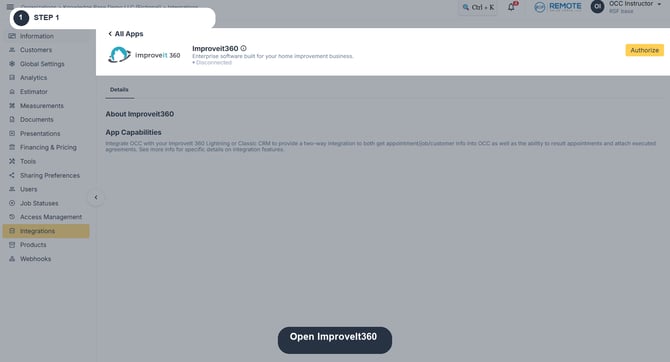
Image description: ImproveIt360 card in Integrations.
2. Click Authorize and enter the Consumer Key and Consumer Secret. Paste each value into its corresponding field in the Authorize ImproveIt360 window. Keep credentials private.
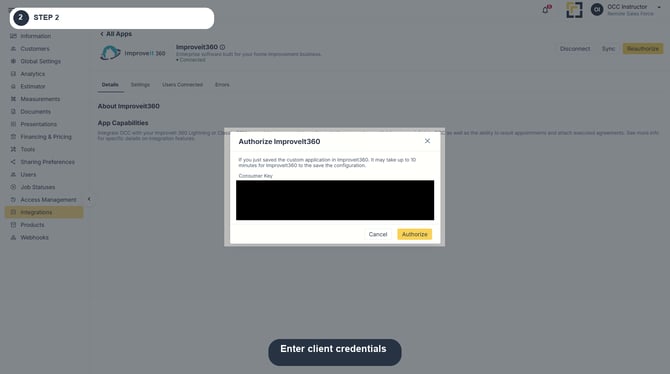
Image description: ImproveIt360 authorization window.
3. Click Authorize and complete the steps required by the platform. Return to OCC after access is granted. A newly saved client application can take up to 10 minutes to become available; wait before retrying if authorization fails immediately.
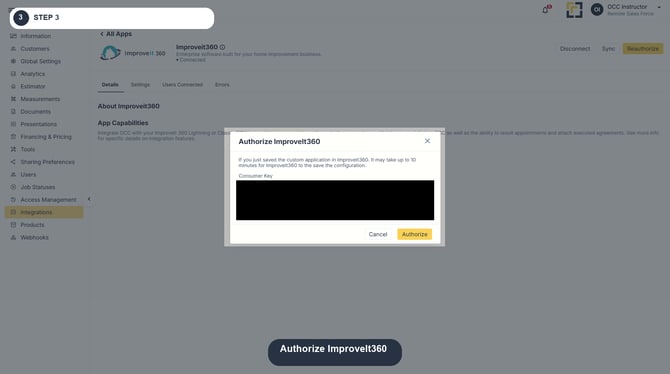
Image description: Authorize ImproveIt360.
4. Open Settings and select Lightning in Platform. Select Lightning. Do not select Classic: Lightning uses a different set of source objects, fields, result values, and document storage.
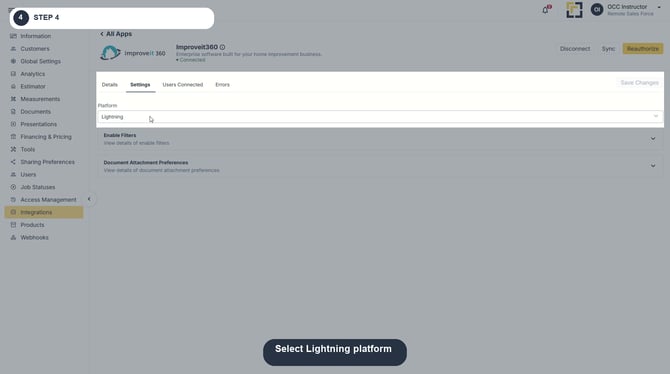
Image description: Select Lightning platform.
5. Click Save Changes, then click Sync. Confirm OCC still reports Connected and the sync request succeeds. The initial sync retrieves staff and result values and pulls eligible appointments.
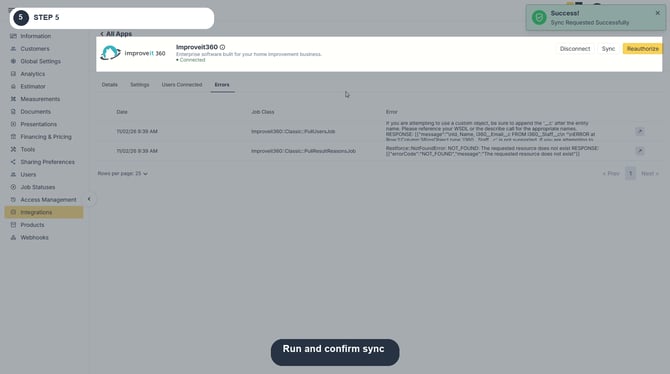
Image description: Request an ImproveIt360 sync.
After authorization
-
Lightning staff are synchronized weekly on Sunday at 1:00 AM UTC. A Manual Synch will apply immediately.
-
OCC automatically links a pulled staff member to an OCC user when their email addresses match.
-
If an association is still missing, open Users Connected and manually select the appropriate OCC user.
-
Appointment jobs run every 15 minutes at :07, :22, :37, and :52. See the Lightning configuration article for exact field mappings, filters, document events, and troubleshooting.