![Icon for Courses-1.png]](https://help.oneclickcontractor.com/hs-fs/hubfs/Icon%20for%20Courses-1.png?width=36&height=36&name=Icon%20for%20Courses-1.png)
Article Introduction
If you already have a Merchant ID provided by One Click Contractor, you can authorize One Click Payments directly from the Integrations section instead of completing the full Self-Onboarding process.
Accessing One Click Payments
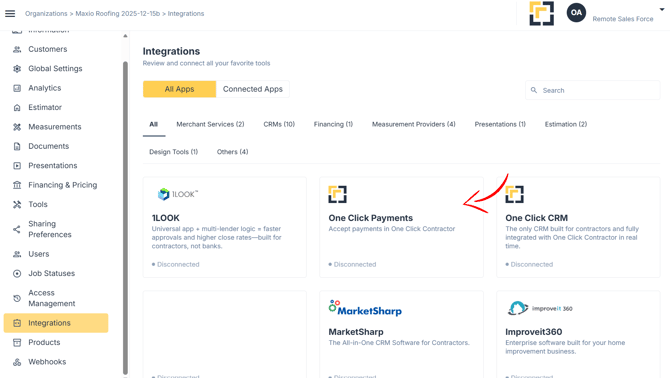
- Navigate to the Configuration section and select the Integrations tab.
- Click One Click Payments.
Authorizing with Your Merchant ID
- Click Authorize.
- Enter the Merchant ID provided by One Click Contractor.
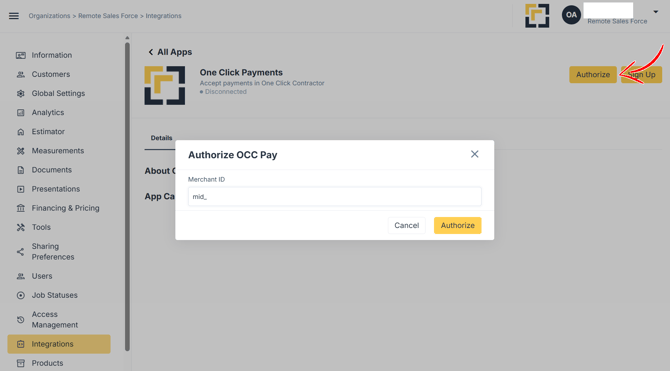
Once submitted, the integration will be authorized and One Click Payments will be enabled for the organization.