![Icon for Courses-1.png]](https://help.oneclickcontractor.com/hs-fs/hubfs/Icon%20for%20Courses-1.png?width=36&height=36&name=Icon%20for%20Courses-1.png)
Steps
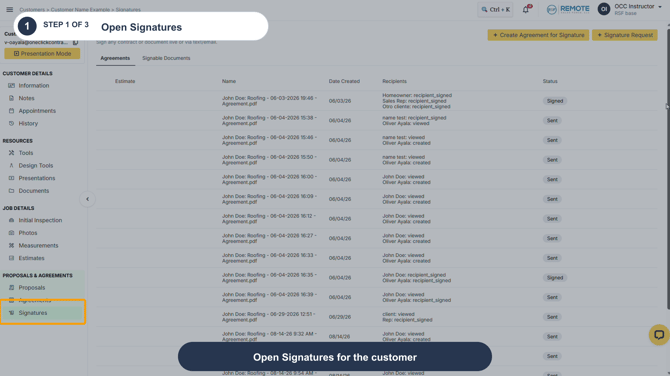
Step 1: Locate the document and hover over its row to reveal the available action icons.
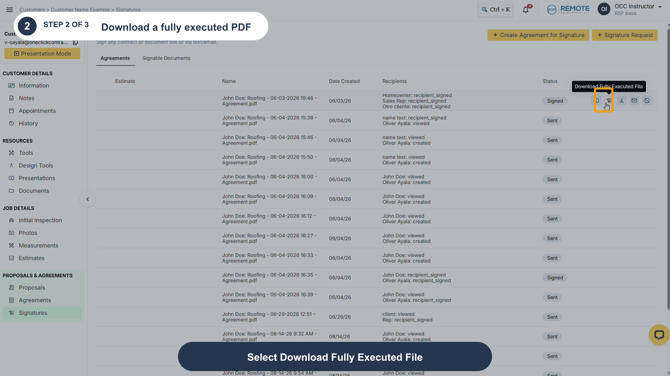
Step 2: For a document marked Signed, select Download Fully Executed File to download the completed PDF.
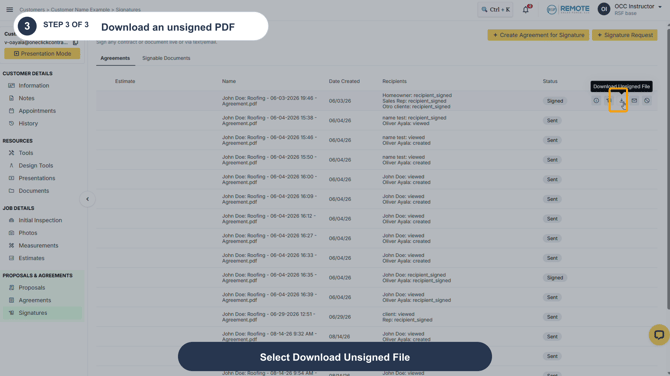
Step 3: Select Download Unsigned File when you need the version without completed signatures.
⚠️ Remember
These download actions are available for the documents shown in the Signatures list. An unsigned PDF has not been completed by every signing party. A fully executed PDF is available only after all required parties have signed.