![Icon for Courses-1.png]](https://help.oneclickcontractor.com/hs-fs/hubfs/Icon%20for%20Courses-1.png?height=40&name=Icon%20for%20Courses-1.png)
Article Introduction
The Signature Requests report can be viewed in the system, but it cannot currently be downloaded or exported.
What can I view in the report?
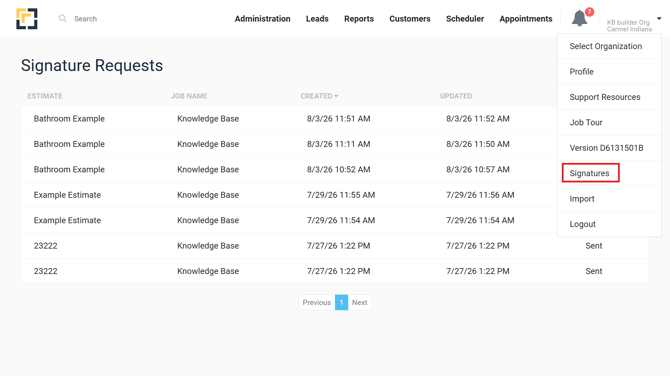
When the Signatures permission is enabled for your user account, open your profile menu and select Signatures.
The Signature Requests report displays:
- Estimate
- Job Name
- Created
- Updated
- Status
Can I download or export the report?
No. There is currently no option to download or export the Signature Requests report.
Important Notes
- The report is available for viewing only.
- The Signatures option must be enabled for your user account.
- The Status column shows whether each signature request is Sent or Signed.