![Icon for Courses-1.png]](https://help.oneclickcontractor.com/hs-fs/hubfs/Icon%20for%20Courses-1.png?width=36&height=36&name=Icon%20for%20Courses-1.png)
Void a sent agreement from the Agreements tab.
Step 1: Find the agreement
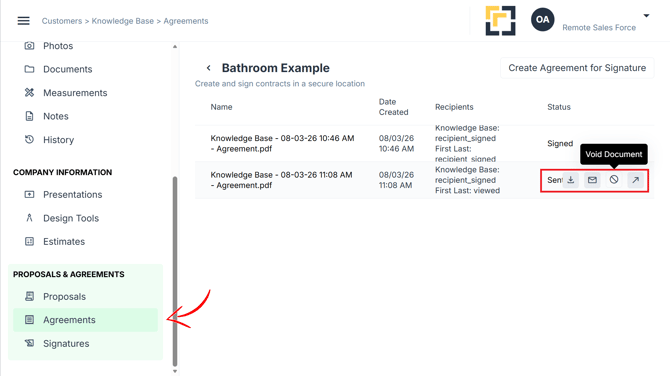
- Open the customer job.
- Select the Agreements tab from the left panel.
- Hover over the agreement row on a computer, or tap it on an iPad.
- Click Void Document.
Step 2: Void it
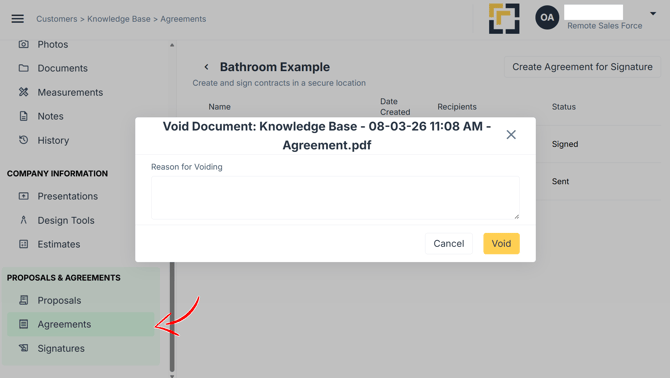
- Enter the Reason for Voiding.
- Click Void.
For the full guide, see Voiding an Agreement.