![Icon for Courses-1.png]](https://help.oneclickcontractor.com/hs-fs/hubfs/Icon%20for%20Courses-1.png?width=36&height=36&name=Icon%20for%20Courses-1.png)
Requirements
-
Access to the application containing the funding request.
-
A funding request with a blank Latest Status field.
Cancel the Request
Step 1: Verify Latest Status is blank. A funding request can only be canceled before any status appears.
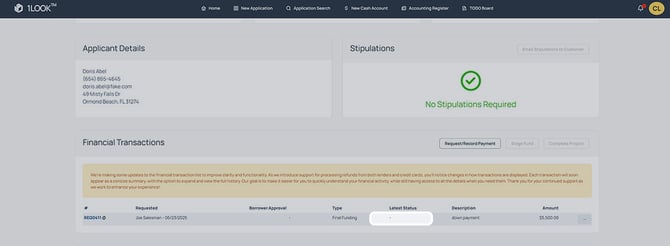
Image description: Financial Transactions shows the funding request with a blank Latest Status field.
Step 2: Open the REQ# and select Cancel. This opens the funding request invoice and cancels the eligible request from its Actions panel.
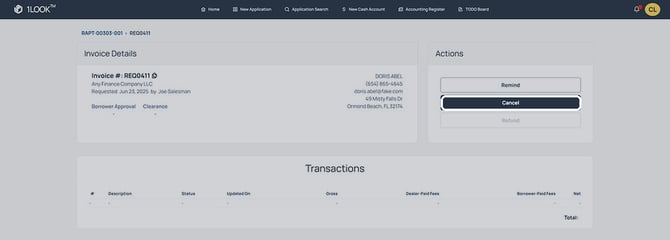
Image description: The funding request invoice Actions panel displays Cancel for an eligible request.
Step 3: Select Cancel from the three-dot menu in Financial Transactions. Use this alternative when you want to cancel without opening the invoice.
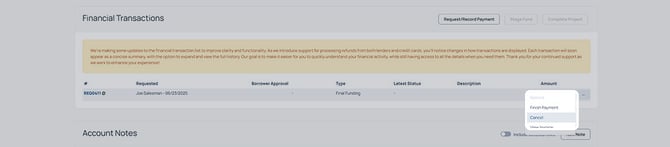
Image description: The Financial Transactions three-dot menu includes Cancel for the eligible funding request.
Remember
What you see can differ depending on your organization's settings and your permission level. Tab names, headers, and available options are configurable. If you cannot see or do something described here, ask your manager first. They can contact support.