![Icon for Courses-1.png]](https://help.oneclickcontractor.com/hs-fs/hubfs/Icon%20for%20Courses-1.png?width=36&height=36&name=Icon%20for%20Courses-1.png)
Understand why a validation may not clear and why your estimate cannot be saved.
If a validation warning remains after selecting an option, it usually means the system is not recognizing the selection correctly. This can prevent the estimate from being saved.
What you’re seeing
You may notice:
-
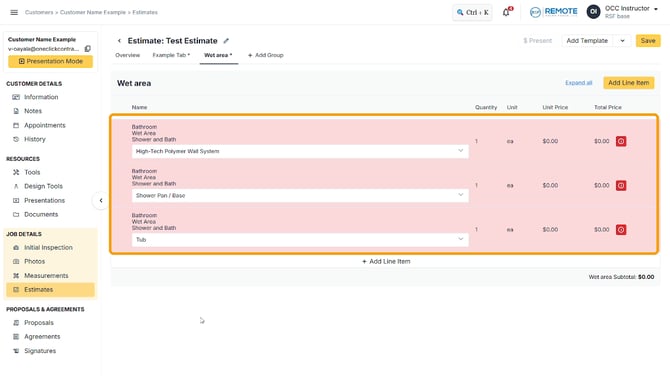
A red exclamation mark still visible
-
A red border around the line item
-
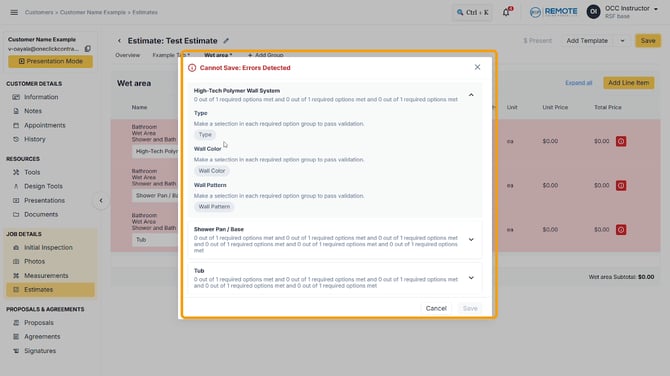
A message preventing you from saving the estimate
Why this happens
-
There are still products or options that need to be chosen.
What to do
Confirm you have selected an option for the required item.
If the warning remains, contact OCC's support team at Support@OneClickContractor or via chat within your account.
For the full guide, see Why won’t a validation clear in my estimate?.