![Icon for Courses-1.png]](https://help.oneclickcontractor.com/hs-fs/hubfs/Icon%20for%20Courses-1.png?height=40&name=Icon%20for%20Courses-1.png)
Article Introduction
Product option validations help ensure that all required product details are completed in the Estimator. Some validations only become active after a related product or project section is selected.
When Product Option Validation Is Triggered
Not every product option is required for every project.
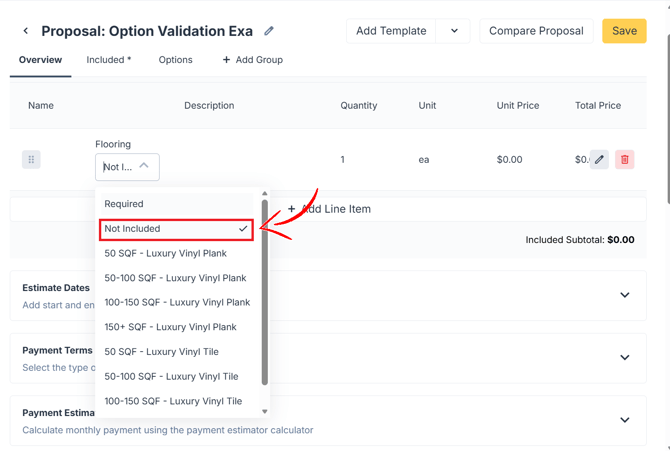
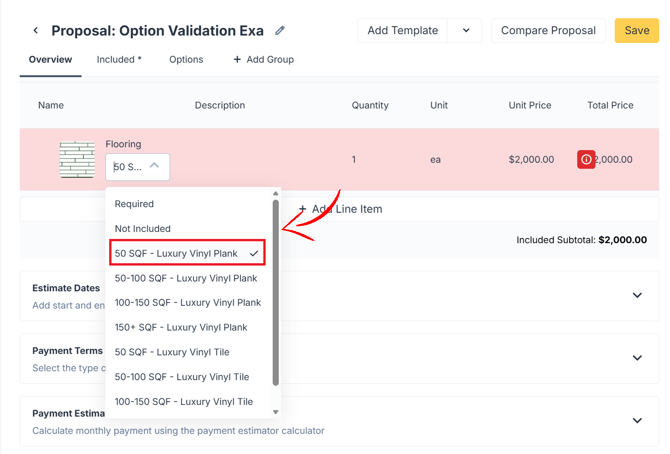
For example, a bathroom project may not require flooring, so the flooring section is not mandatory at the beginning of the estimate. However, once flooring is selected, the related line item turns red to indicate that additional required options must be completed.
How to Complete the Mandatory Line Item Option Selections
-
Open the available Option tabs by hovering over the line item
-
Click the pen icon.
-
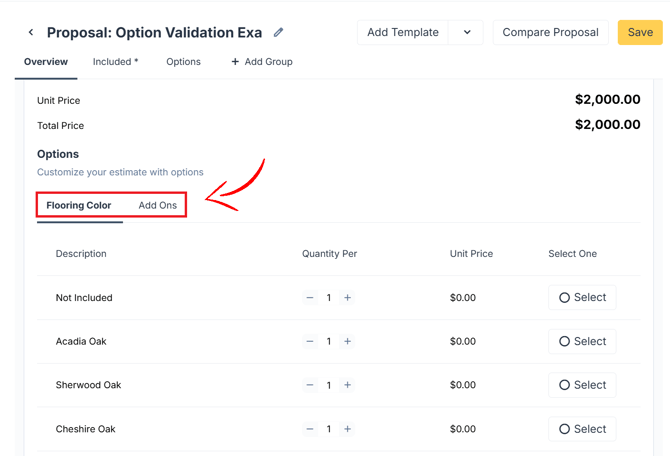
Complete all mandatory selections.
- Save the line item.
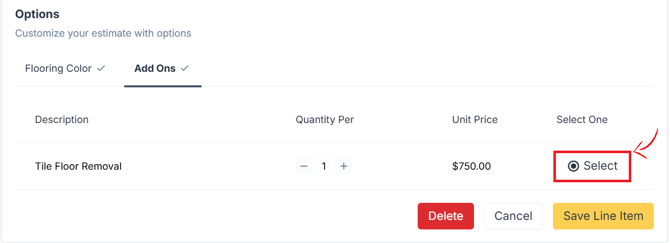
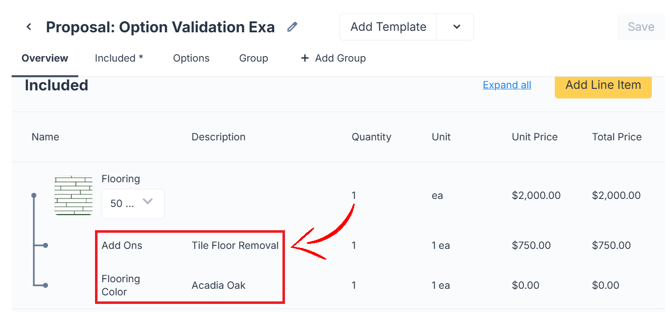
The estimate will now show the product with all the option selections and additional cost if any.
Important Notes
- You must save the line item after completing the options.
- The estimate cannot be saved until all mandatory selections are completed.