Skip to content
English
  • There are no suggestions because the search field is empty.

Estimator Information Tab Overview

Understand the fields available in the Information tab of the Estimator and how they affect customer records, documents, and integrations.

Article Introduction

The Information Tab in the Estimator contains the core details for a job, including customer information, job information, job address, and integrations.

Many of these fields are used to auto-populate documents, proposals, agreements, and other generated files. Some fields may also communicate with external integrations such as CRMs or payment platforms.


Customer Details

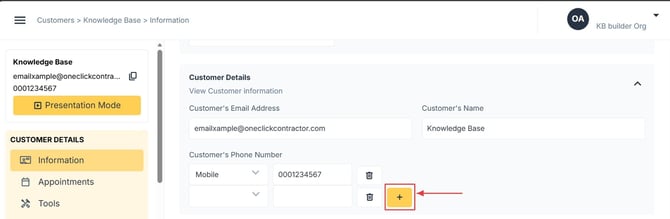
The Customer Details section stores the primary contact information for the job.

Fields include:

  • Customer Name

  • Customer Email Address

  • Customer Phone Numbers


Job Details

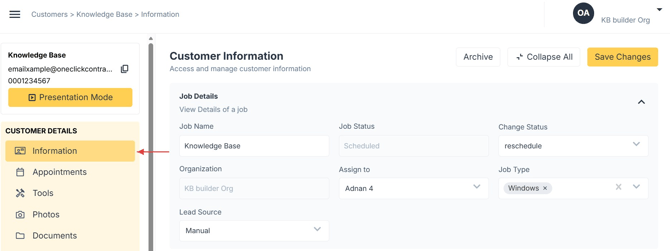
The Job Details section contains information used to identify and organize the job.

Fields include:

  • Job Name

  • Job Status

  • Change Status

  • Organization

  • Assign To

  • Lead Source

  • Job Type

Default Behavior

  • Job Status is typically set to New when a job is first created.

  • Change Status commonly defaults to Scheduled depending on configuration.

⚠️ Note: If the organization uses a CRM integration, the job status may update automatically when information syncs between systems.


Job Type

The Job Type field is customizable by the organization and may include categories such as:

  • Roofing

  • Siding

  • Windows

  • Decks

  • Pergolas

  • Other service types

This field helps organize jobs and may also be used for reporting or filtering.


Job Address

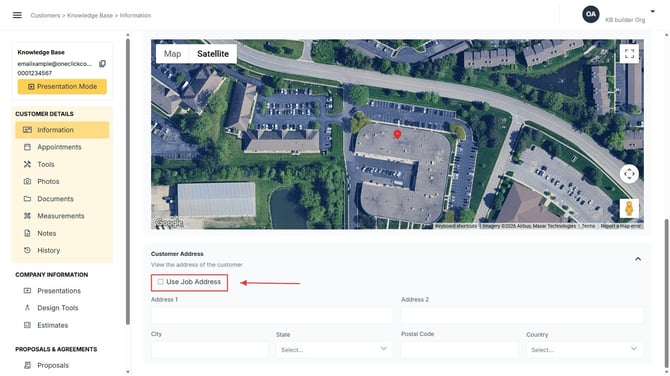
The Job Address section contains the physical location where the work will take place.

Fields include:

  • Address Line 1

  • Address Line 2

  • City

  • State

  • Postal Code

  • Country

  • County

This address may also be used for:

  • Document generation

  • Map integrations

  • CRM synchronization

  • Job tracking and scheduling


Integrations

If integrations are enabled for the organization, an Integrations section may appear.

These fields may include identifiers such as:

  • CRM Account IDs

  • Sales Representative IDs

  • Other external system references

These values allow the platform to communicate with external systems such as CRMs or One Click Payments.

These fields are typically managed automatically by the integration and do not usually require manual edits.


Payment Requests

The Payment Requests section displays any payment requests associated with the job.

If no requests have been created, the section will display a message indicating that no payment requests are present.

When payments are requested or processed through One Click Payments, details will appear here for reference.


Important Notes

  • Many fields in the Information tab are used to auto-populate documents and agreements.

  • Some fields may update automatically when connected integrations sync data.

  • If certain fields are not visible, they may be controlled by your organization's configuration or integrations.

  • If you cannot modify a field, contact your administrator for assistance.