![Icon for Courses-1.png]](https://help.oneclickcontractor.com/hs-fs/hubfs/Icon%20for%20Courses-1.png?width=36&height=36&name=Icon%20for%20Courses-1.png)
Export a Report
Step 1: Filter the report period. Enter a Start On and End On date to limit the export to the transactions you need.
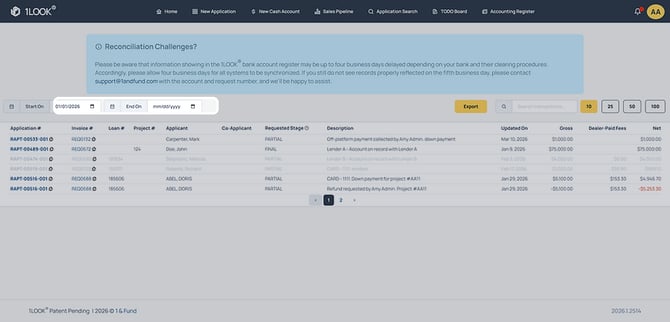
Image description: Start and end date controls set the transaction period included in the export.
Step 2: Select Export. Open the CSV download options for the selected register data.

Image description: The Export control opens the Accounting Register download-format options.
Step 3: Choose the CSV report format. Select the format that matches your accounting workflow.
👉 Detailed exports every register field. 3-Column Accounting exports date, combined description, and net deposit. 3-Column Accounting With Fees separates gross requests and fees into credit/debit lines.
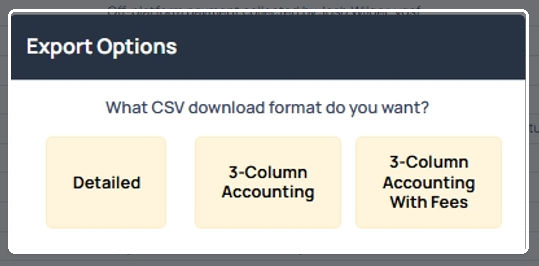
Image description: Export Options offers Detailed, 3-Column Accounting, and 3-Column Accounting With Fees CSV downloads.
Remember
What you see can differ depending on your organization's settings and your permission level. Tab names, headers, and available options are configurable. If you cannot see or do something described here, ask your manager first. They can contact support.