![Icon for Courses-1.png]](https://help.oneclickcontractor.com/hs-fs/hubfs/Icon%20for%20Courses-1.png?height=40&name=Icon%20for%20Courses-1.png)
Article Introduction
The Customer tab in the One Click Contractor Admin Dashboard includes filtering options that can be used to narrow down customer and job information before exporting a report.
Exporting a Customer Report- Open the Admin Dashboard.
- Select Customer.
- Open the Filter tool.
- Apply the desired filters.
- Export the filtered results.
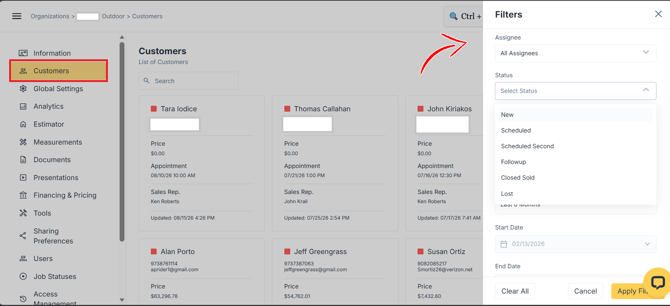
The exported report is provided as a CSV file.
Available Filters
Reports can be filtered by:
- Date Range
- Assigned Rep
- Job Type, if configured for your organization
- Lead Source, if configured for your organization
- Archived Jobs, including or excluding archived jobs