![Icon for Courses-1.png]](https://help.oneclickcontractor.com/hs-fs/hubfs/Icon%20for%20Courses-1.png?width=36&height=36&name=Icon%20for%20Courses-1.png)
Review the Straight Decline
Step 1: Review the on-screen decline options with the customer.
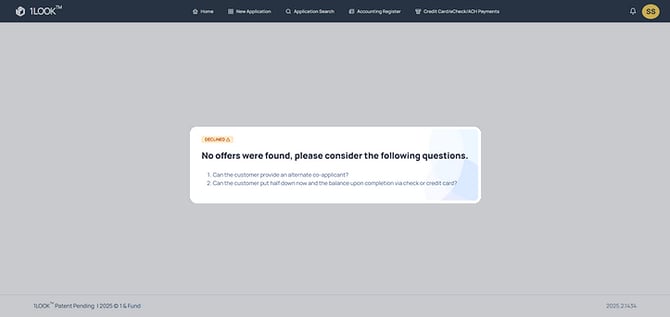
Image description: The decline screen explains that no offers were found and asks about a co-applicant or a larger down payment.
Step 2: Review the lender selection for future applications. More lenders can increase available options, especially for lower-tier customers. Use LenderStack when it is configured to better align lender options with customer buying habits.
Step 3: Ask about a co-applicant or a larger down payment. Either change may improve the customer approval options.
Step 4: Offer configured alternative payment options when appropriate. Credit card or ACH payment tiles appear when your organization has enabled and configured One Click Payments
Remember
What you see can differ depending on your organization's settings and your permission level. Tab names, headers, and available options are configurable. If you cannot see or do something described here, ask your manager first. They can contact support.