![Icon for Courses-1.png]](https://help.oneclickcontractor.com/hs-fs/hubfs/Icon%20for%20Courses-1.png?width=36&height=36&name=Icon%20for%20Courses-1.png)
Steps
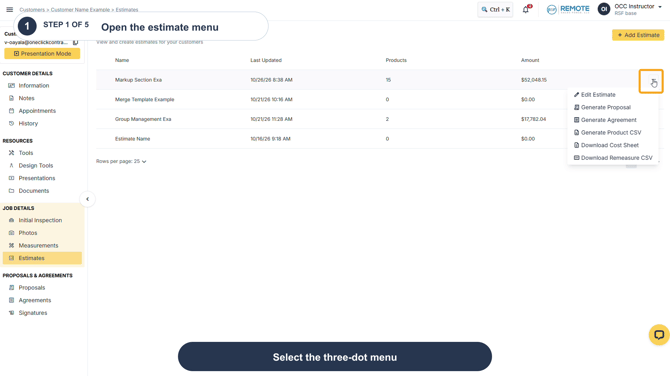
Step 1: Open Estimates, locate the applicable estimate, and select the three-dot menu at the end of its row.
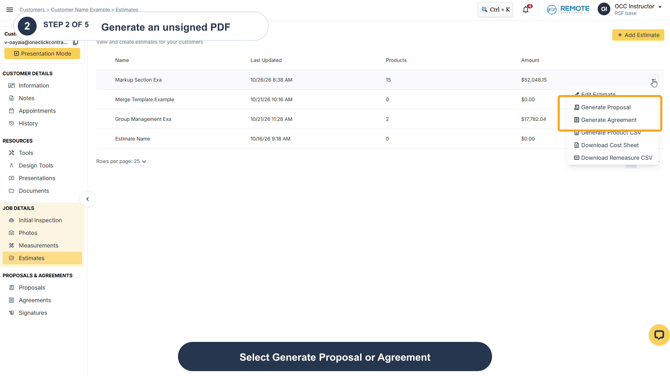
Step 2: Select Generate Proposal or Generate Agreement, depending on the PDF you need.
Remember
This action downloads an unsigned PDF. It does not create a signature request or change the estimate. Use the appropriate document type for the estimate you selected.