![Icon for Courses-1.png]](https://help.oneclickcontractor.com/hs-fs/hubfs/Icon%20for%20Courses-1.png?width=36&height=36&name=Icon%20for%20Courses-1.png)
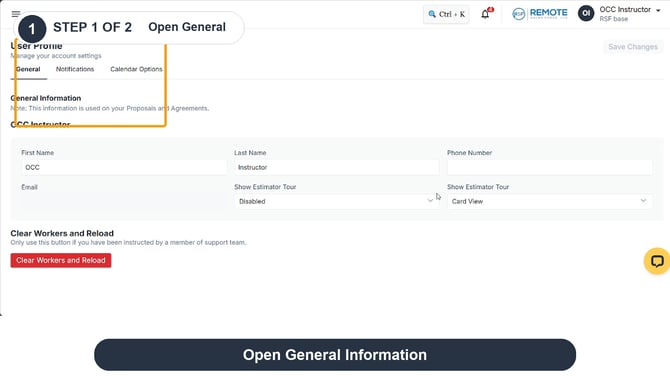
Your User Profile holds the name and phone number shown in General Information. The page states that this information is used on Proposals and Agreements.
Step by step
1. Open General. Open your User Profile and select General. Review the name and phone number shown under General Information.
Open General
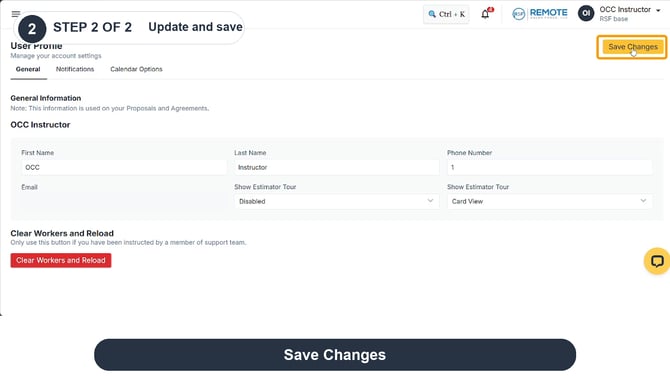
2. Update and save. Make the relevant changes to the editable fields, then click Save Changes. The Email field appears unavailable for editing in this view.
Update and save
Remember
What you see can differ depending on your organization's settings and your permission level. Tab names, headers and available options are configurable. If you can't see or do something described here, ask your manager first. They can contact support.