![Icon for Courses-1.png]](https://help.oneclickcontractor.com/hs-fs/hubfs/Icon%20for%20Courses-1.png?width=36&height=36&name=Icon%20for%20Courses-1.png)
Adjust product and labor markup right inside the estimate.
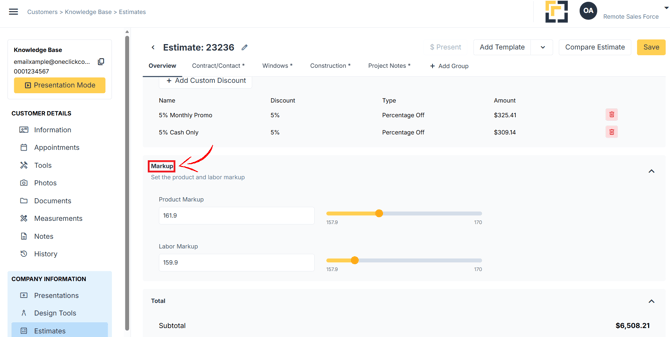
Step 1: Open the Markups section
- Find the Markups section below Discounts in the estimate.
- Select Markups to expand it.
Step 2: Adjust the markup
- Drag the slider, or type a percentage in the field next to it.
- Adjust Product and Labor markup separately if both are available.
- Review the updated estimate total. It recalculates immediately.
For the full guide, see How to Use the Markup Slider in an Estimate.