![Icon for Courses-1.png]](https://help.oneclickcontractor.com/hs-fs/hubfs/Icon%20for%20Courses-1.png?height=40&name=Icon%20for%20Courses-1.png)
In Financing and Pricing, Titles control the labels displayed in Price Presentation. These labels appear on pricing options shown to customers during the sales process.
What Titles Control
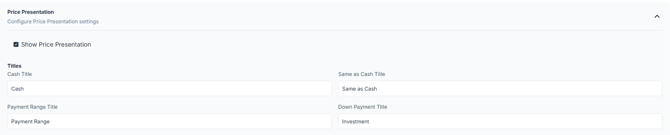
Titles define the names used for pricing options in the presentation.
By default, the slides are named:
- Cash
- Same as Cash
- Payment Range
- Down Payment
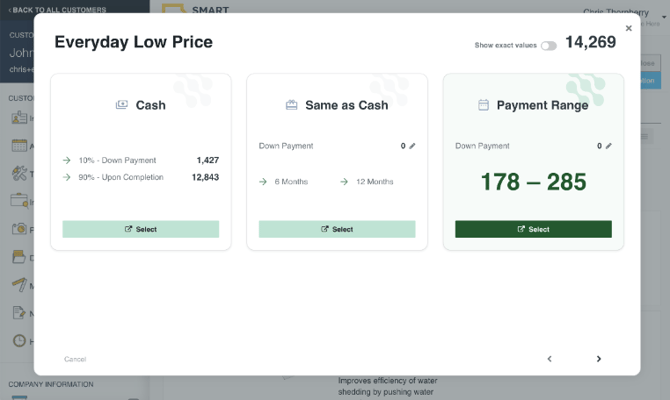
How it will be shown in the Estimator
The configuration selections on this screen will determine what appears on the Estimator's actual presentation slides:
💡 Notes:
- Titles change how pricing options are labeled, not how they function
- Updating a Title will update how it appears across all presentations
- To Rename slides, make sure you Save Changes.