![Icon for Courses-1.png]](https://help.oneclickcontractor.com/hs-fs/hubfs/Icon%20for%20Courses-1.png?height=40&name=Icon%20for%20Courses-1.png)
If you are unable to log into your One Click Contractor account, follow the steps below to reset your password and regain access.
Step 1 — Go to the Login Page
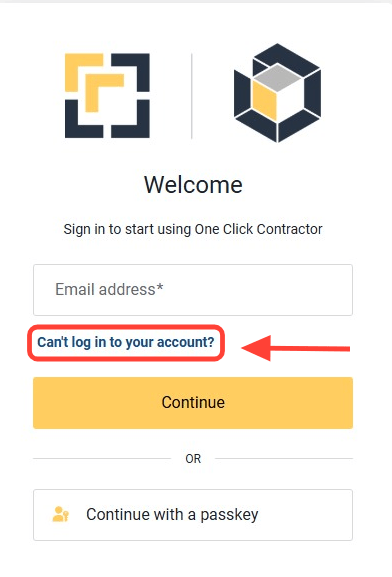
From the One Click Contractor homepage, click Can't log into my account.
Step 2 — Enter Your Email Address
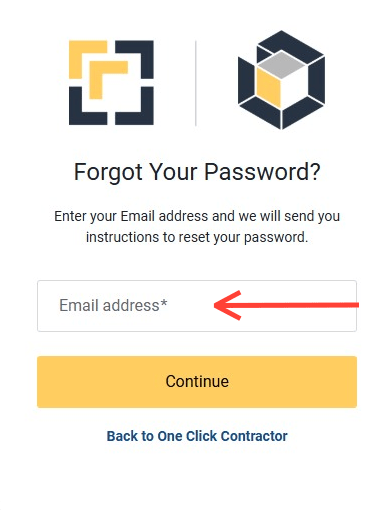
Fill in the email address field and click Continue.
Step 3 — Check Your Email
You will receive an automated email to your inbox with a green button labeled Reset your password. Click the green button and a new window will open in your browser.
Step 4 — Create Your New Password
The new window will prompt you to Complete the Password Reset Process. Type your new password and confirm to finish. You can now use your new password to log into One Click Contractor.