![Icon for Courses-1.png]](https://help.oneclickcontractor.com/hs-fs/hubfs/Icon%20for%20Courses-1.png?height=40&name=Icon%20for%20Courses-1.png)
Article Introduction
In the Estimator, webhooks allow you to send data to an external system when specific events occur.
To begin using webhooks, you must create and configure a webhook by defining an endpoint, selecting authentication, and choosing which events will trigger it.
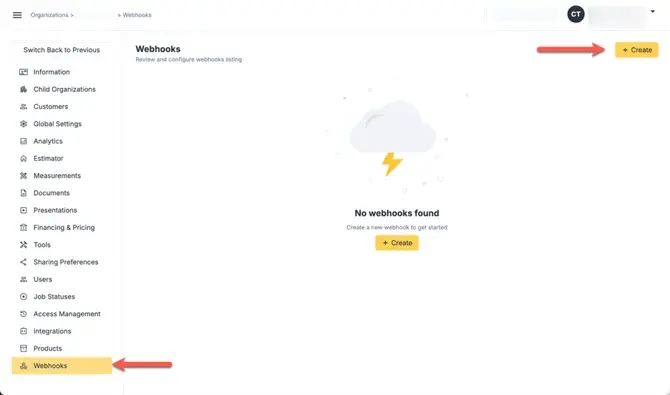
Configure the Webhook Endpoint
- Enter the Endpoint URL
This is the destination where webhook data will be sent. The receiving system must be able to accept incoming requests.
Select Authentication Type
- Choose an Authentication Method
Available options include:
- No Authentication
- Basic Authentication
If Basic Authentication is used, credentials must be provided for the receiving system.
Select Webhook Events
- Choose the events that will trigger the webhook
Events are grouped by object and may include:
- Job events
- Estimate events
- Document events
- Payment events
Each selected event will trigger a webhook when that action occurs.
-1.webp?width=670&height=327&name=user_cropped_screenshot%20(29)-1.webp)
Enable the Webhook
- Once saved, toggle the webhook on to enable.
Once enabled, the webhook will begin sending data when selected events occur.
-1.webp?width=670&height=143&name=user_cropped_screenshot%20(28)-1.webp)
Note: you can also edit the webhook by clicking on the pen, or delete it by clicking on the trash bin icon