![Icon for Courses-1.png]](https://help.oneclickcontractor.com/hs-fs/hubfs/Icon%20for%20Courses-1.png?height=40&name=Icon%20for%20Courses-1.png)
The Price Presentation feature allows estimates to be presented using structured pricing options, including cash, financing, and payment ranges. This feature must be enabled before configuration options become available.
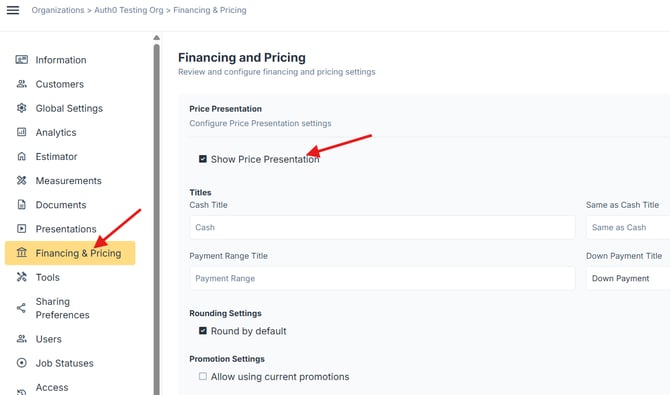
You can enable it in Financing and Pricing tab in the Administration Dashboard.
Step 1: Enable Price Presentation
- Expand the Price Presentation section
- Check Show Price Presentation
What Can Be Configured
Once enabled, you can control how pricing is presented, including:
- Customizing the labels used in the presentation (such as cash or financing terms)
- Adjusting how pricing values are displayed, including rounding
- Editing which financing options are available in the presentation
- Defining how payment ranges are calculated and displayed
- Controlling how pricing slides are structured, including terms and discounts