![Icon for Courses-1.png]](https://help.oneclickcontractor.com/hs-fs/hubfs/Icon%20for%20Courses-1.png?width=36&height=36&name=Icon%20for%20Courses-1.png)
Article Introduction
Self-Onboarding allows organizations to enroll in One Click Payments directly within the platform. The process is completed through the Integrations section and requires basic merchant and banking information.
⚠️NOTE: The merchant ID is provided by One Click Contractor. You can request it to our support reps.
Accessing One Click Payments
- Navigate to the Configuration section & Select the Integrations tab.
- Click One Click Payments.
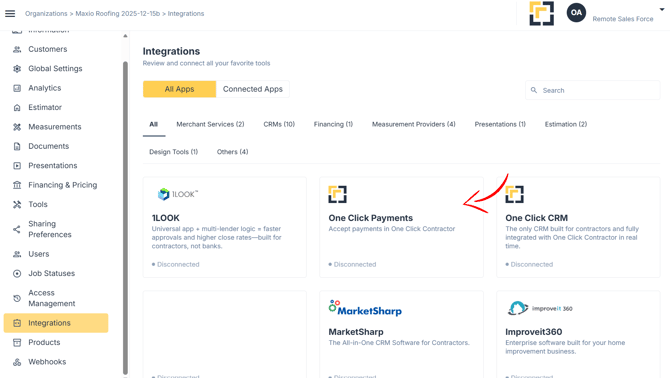
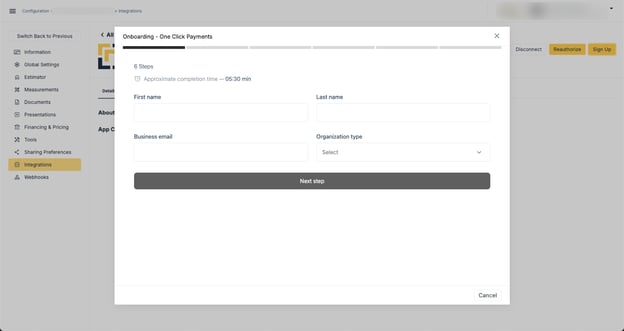
Once clicked, the Merchant Onboarding screen and process will appear. The process will require a few pieces of information from the merchant including:
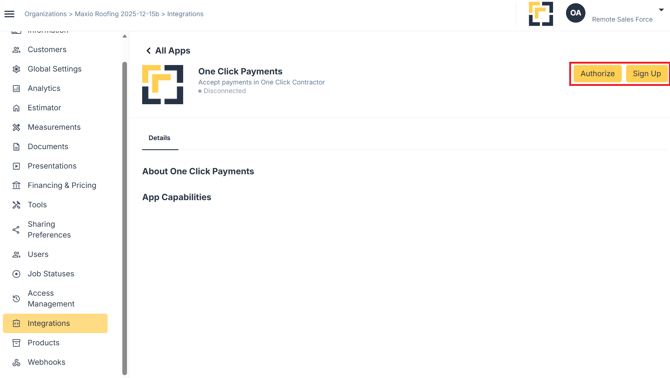
-
- Tax ID Numbers
- Ownership Information
- ACH information for Deposits
- Addresses and contact information
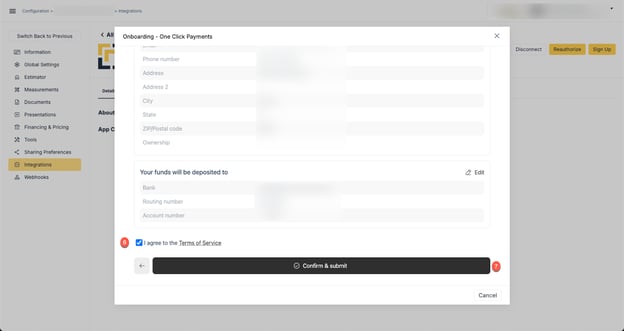
Once the information has been entered, you’ll need to ensure you’ve agreed to the Terms of Service
Click C onfirm & submit
Once this information has been entered, the onboarding process will commence. There may be some questions that come to you from the Underwriting department.
Once the onboarding and underwriting process has been completed, the organization and all users will be able to utilize the features and functionality in the platform.