![Icon for Courses-1.png]](https://help.oneclickcontractor.com/hs-fs/hubfs/Icon%20for%20Courses-1.png?width=36&height=36&name=Icon%20for%20Courses-1.png)
Article Introduction
CRM integrations are managed from the Admin Dashboard, where users can be matched between systems. When adding a new user, it is important to ensure they are synced with your CRM integration so they are properly connected within the estimator.
Where to Configure
To sync users with a CRM integration:
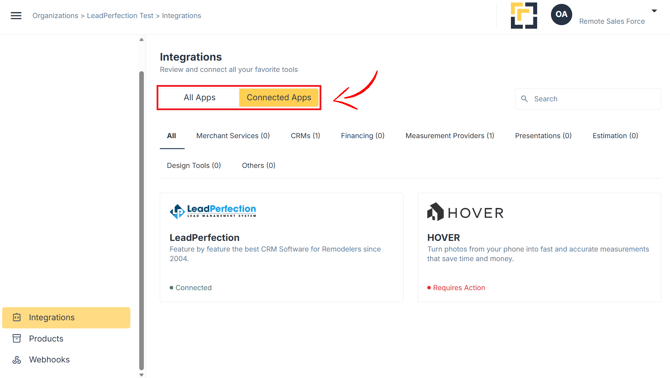
- Go to Admin Dashboard
- Select Integrations
- Locate and open your CRM integration
How to Sync a User
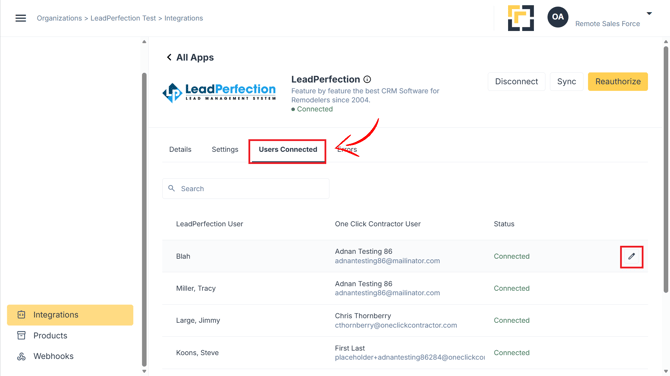
- Locate the user in the list
- Click the edit (pencil) icon on the right side
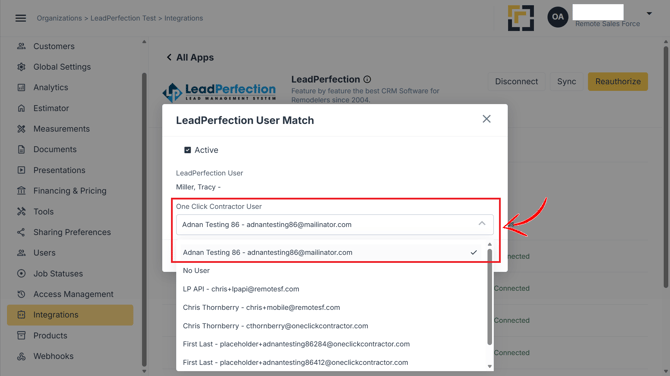
- If available for the CRM Integration, ensure the Active toggle is enabled
How to Match a User
- In the One Click Contractor User field
- Select the matching user based on their email address
- Click Save