![Icon for Courses-1.png]](https://help.oneclickcontractor.com/hs-fs/hubfs/Icon%20for%20Courses-1.png?width=36&height=36&name=Icon%20for%20Courses-1.png)
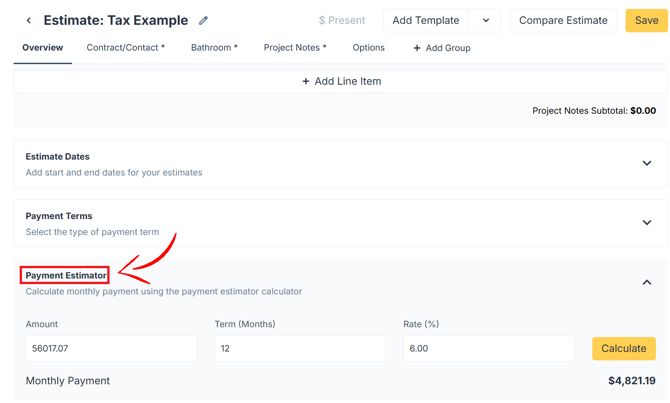
The Payment Estimator helps you calculate a monthly payment based on an amount, financing term, and percentage rate. Expand the Payment Estimator section within the estimate to enter the financing information.
Step 1: Calculate a Monthly Payment
- Expand the Payment Estimator section.
- Enter the amount being financed in the Amount field.
- Enter the length of the financing term in the Term (Months) field.
- Enter the percentage rate in the Rate (%) field.
- Select Calculate.
- Review the calculated amount beside Monthly Payment.