![Icon for Courses-1.png]](https://help.oneclickcontractor.com/hs-fs/hubfs/Icon%20for%20Courses-1.png?width=36&height=36&name=Icon%20for%20Courses-1.png)
Import the quote
Select Add Line Item. Open the estimate and select Add Line Item.
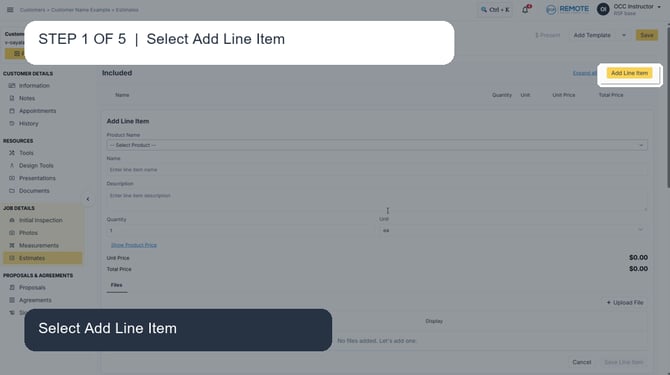
Open the estimate and select Add Line Item.
Select Vytex. Open Product Name and select Vytex.
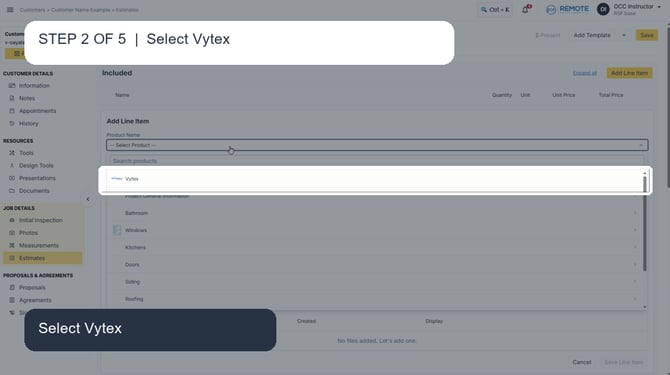
Open Product Name and select Vytex.
Sign in to Vytex. Use the assigned FeneVision WEB credentials, then select Sign In.
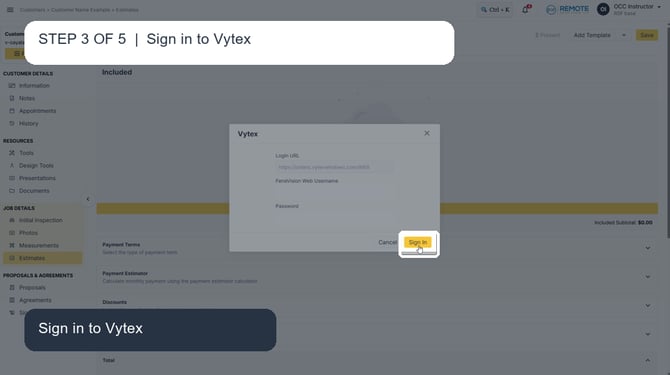
Use the assigned FeneVision WEB credentials, then select Sign In.
Import the quote. Select Import next to the quote you want to add.
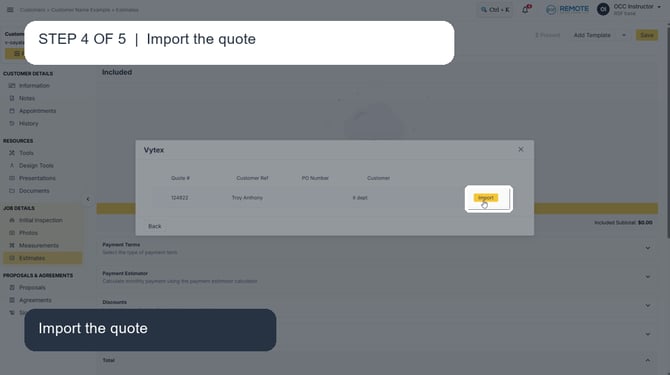
Select Import next to the quote you want to add.
Review imported lines. Confirm the imported Vytex line items and totals in the estimate.
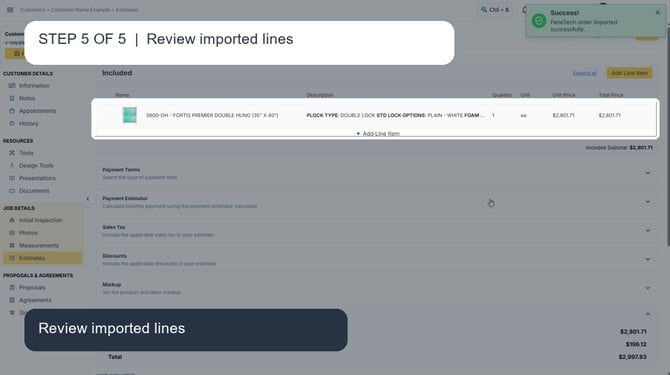
Confirm the imported Vytex line items and totals in the estimate.
Remember
What you see can differ depending on your organization's settings and permission level. If you cannot complete a step, contact your manager or support.