![Icon for Courses-1.png]](https://help.oneclickcontractor.com/hs-fs/hubfs/Icon%20for%20Courses-1.png?width=36&height=36&name=Icon%20for%20Courses-1.png)
Requirements
-
An application in a green status before funding is requested.
-
Access to the application’s Financial Transactions tile.
Request and Complete Funding
Step 1: Verify the application is green. Confirm that the application is ready for funding before starting a request.
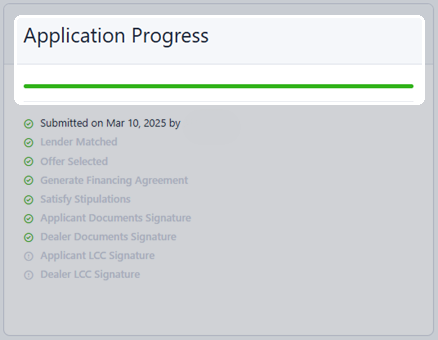
👉 Built-in parameters prevent funding requests that exceed the allocated funding limits.
Step 2: Select the stage funding amount. Choose the eligible percentage or custom amount shown for the lender and application.
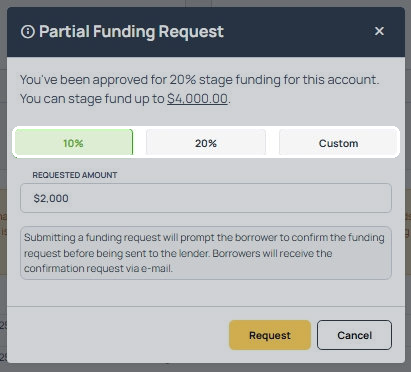
Image description: The Partial Funding Request window shows eligible stage-funding options and the requested amount.
Step 3: Select Request. Submit the stage-funding request after confirming the amount.
👉 The borrower receives a funding-request email and must approve the request before it is sent to the lender.
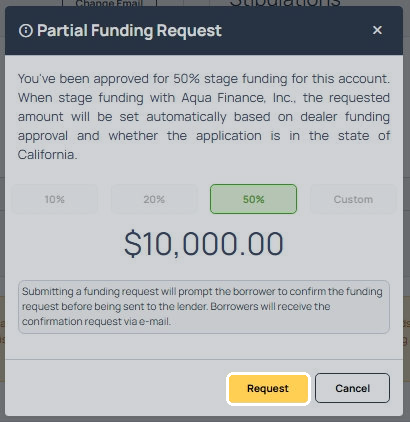
Image description: The Request button submits the selected stage-funding amount for borrower confirmation.
Step 4: Verify Borrower Approval and Latest Status. Review the Financial Transactions tile after the borrower approves the request and lender verification is complete.
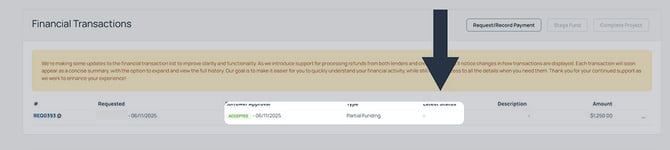
Image description: Financial Transactions displays borrower approval and the latest status for the funding request.
Step 5: Select Complete Project and enter the Final Project Price. Enter the total final project cost, including any down payment.
👉 1LOOK calculates the remaining final funding amount from prior payments and partial funding. If the project price changes, some lenders may require new loan documents. Many lenders also require a Loan Completion Certificate before final disbursement.
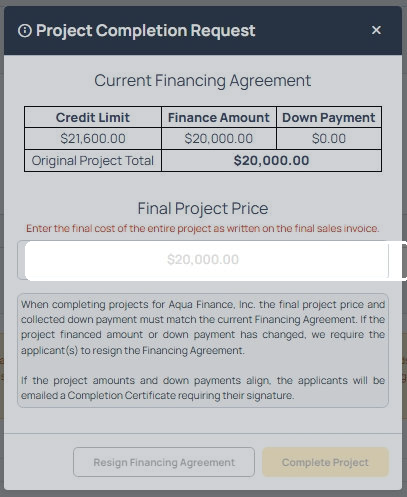
Image description: The Project Completion Request displays the financing agreement amounts and requests the final project price.
Step 6: Select Confirm Final Request. Confirm the project cost, down payment, stage funding, and final funding request values.
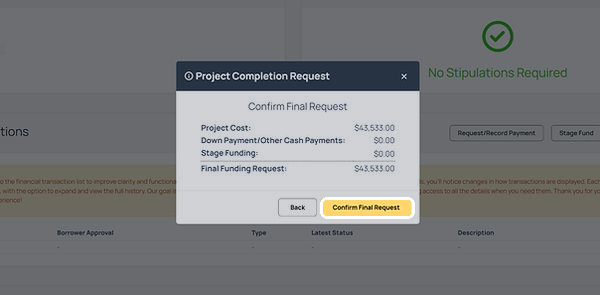
Image description: The confirmation window summarizes project cost, prior payments, stage funding, and the final funding request before submission.
Remember
What you see can differ depending on your organization's settings and your permission level. Tab names, headers, and available options are configurable. If you cannot see or do something described here, ask your manager first. They can contact support.