![Icon for Courses-1.png]](https://help.oneclickcontractor.com/hs-fs/hubfs/Icon%20for%20Courses-1.png?height=40&name=Icon%20for%20Courses-1.png)
Overview
Price Lists in One Click Contractor define the products, labor, and pricing used by the estimator when creating estimates. They serve as the foundation for accurate and consistent pricing across the platform.
Locating the Price List Screen
- Click on Products
- Click on Price Lists
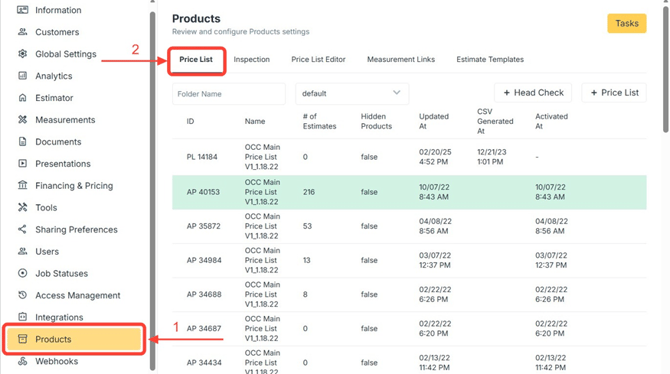
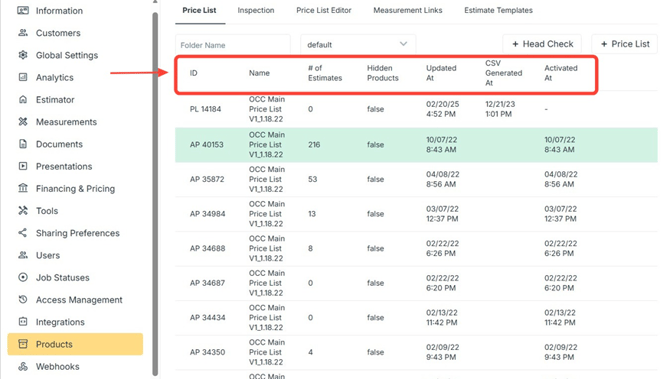
Price List Screen Options (Columns)
- ID: A unique system-generated identifier
- Name: The name associated with the record (naming convention usually includes a clear list identifier, version, and date)
- Number of Estimates: The total count of estimates linked to this record
- Updated At: The date and time when the record was most recently modified
- CSV Generated At: The date and time when the CSV file was last generated for this record
- Activated At: The date and time when the list was activated and became available for use
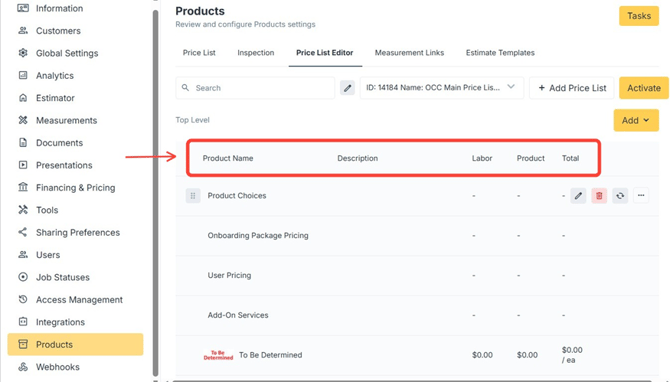
Price List Editor Fields
- Product Name: The name of the product or service listed in the price list
- Description: A brief explanation of what the product or service includes (mostly not used within our system)
- Labor: The cost associated with labor required to deliver or complete the product or service
- Product: The base cost of the product or materials, excluding labor
- Total: The combined cost of labor and product, representing the final price
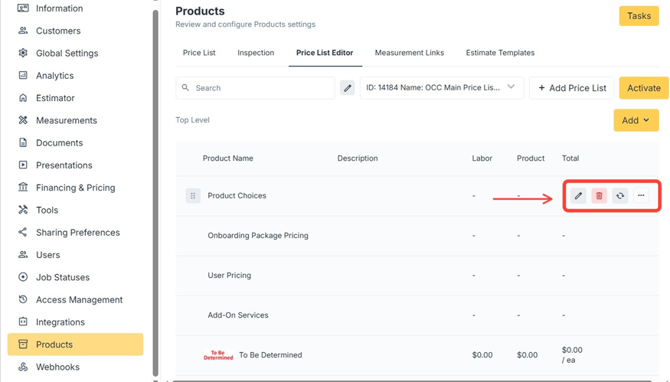
Price List: Product Options (Icons)
- Pen Icon: Opens the product’s details screen
- Trashcan Icon: Deletes the product and every category embedded within it
- Arrow Cycle Icon: Opens a set of additional configurations
- Three Dots: Allows creating a sub child (subcategory) for each product
Price List: Product Child
- Click to expand Product Child choices
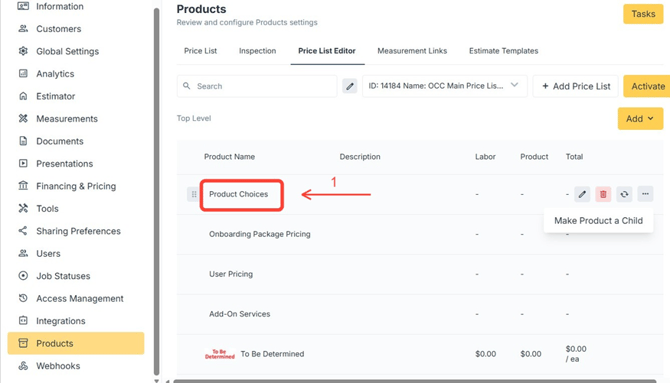
⚠️ Note: You can continue to expand every child choice, if any, in the same way.