![Icon for Courses-1.png]](https://help.oneclickcontractor.com/hs-fs/hubfs/Icon%20for%20Courses-1.png?height=40&name=Icon%20for%20Courses-1.png)
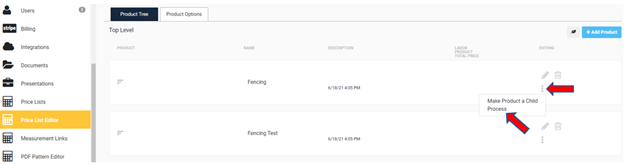
1. After logging into your account, navigate to the Price List Editor in your menu on the left-hand side of OCC. Now, find the product tree that you want to "Push Properties Down Tree". Click on the ellipses that you can see on the right side of the parent product, and then on the option for "Process" on the dropdown menu that will appear.
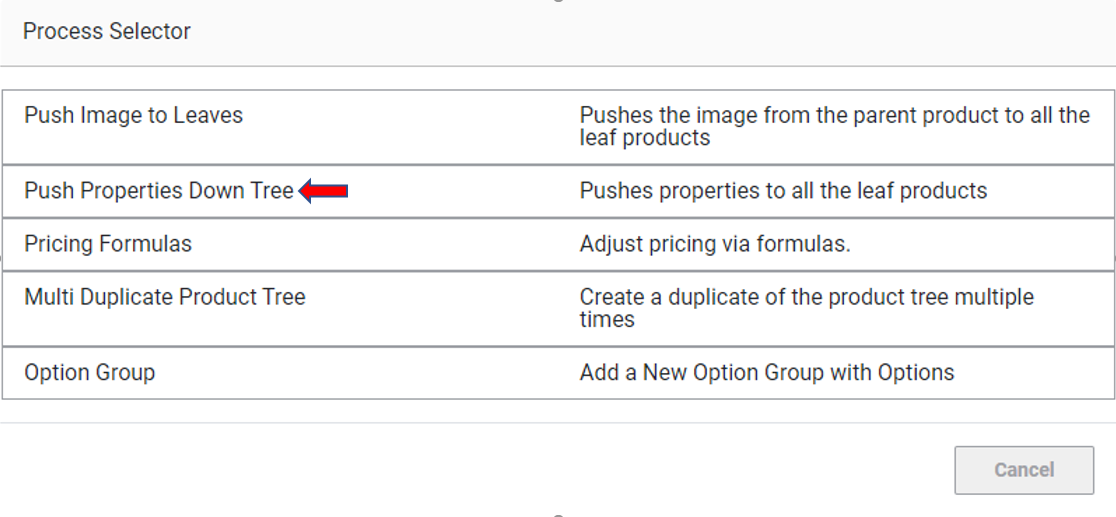
2. The next screen that pops up will be the "Process Selector" screen. Select the option "Push Properties Down Tree"
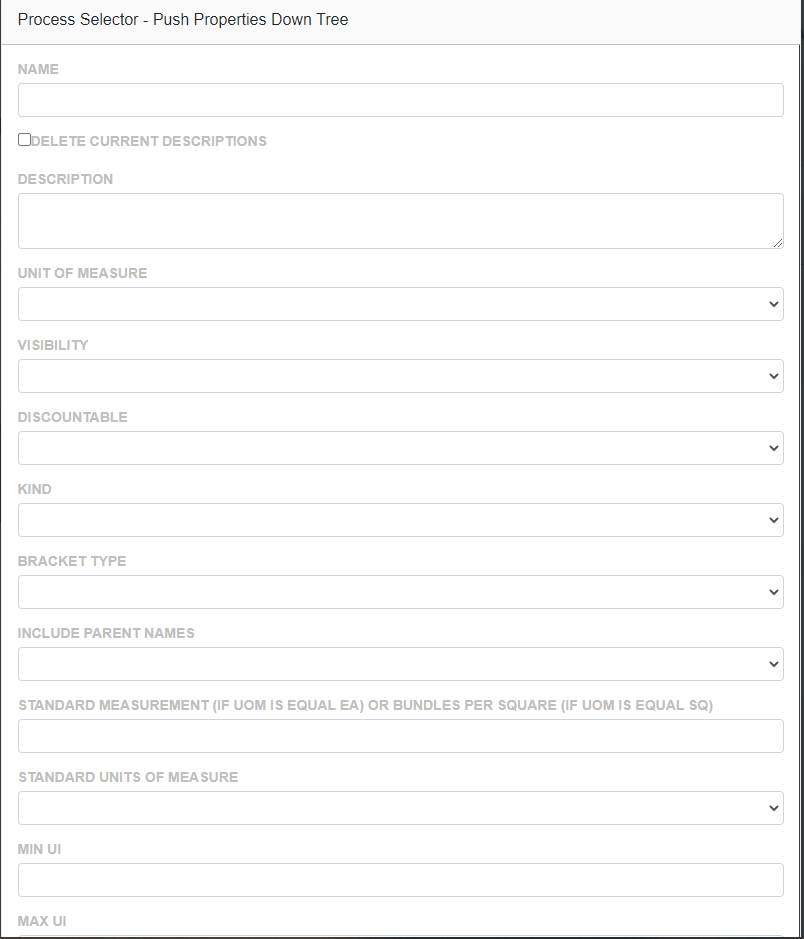
3. The next screen will then allow you to enter the properties you want to push down.
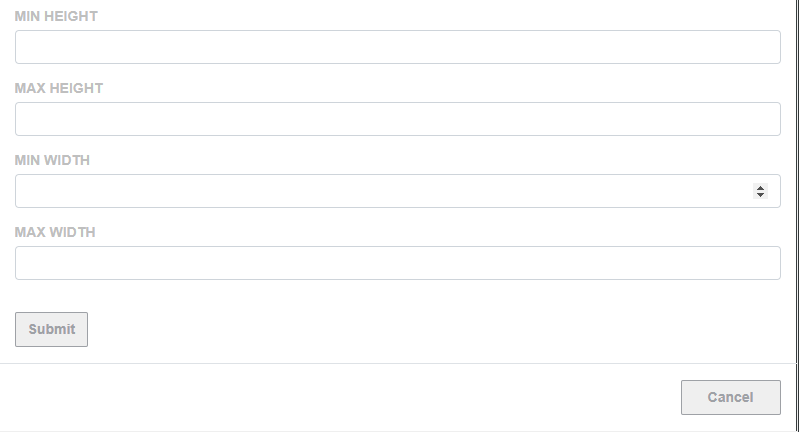
4. After clicking on submit it should give you a green banner on the top of the webpage. This lets you know that the property was pushed down successfully.
