![Icon for Courses-1.png]](https://help.oneclickcontractor.com/hs-fs/hubfs/Icon%20for%20Courses-1.png?width=36&height=36&name=Icon%20for%20Courses-1.png)
Reset Your Password
Step 1: Select Can’t log in to your account? Select this from the 1LOOK sign-in page.
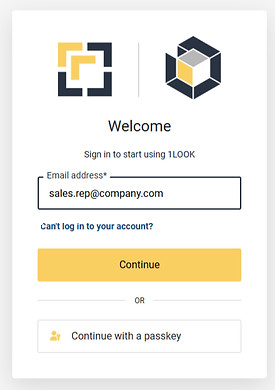
Image description: The 1LOOK sign-in page includes the Can’t log in to your account? password-recovery link.
Step 2: Enter your email address and select Continue. Use the email address associated with your 1LOOK account.
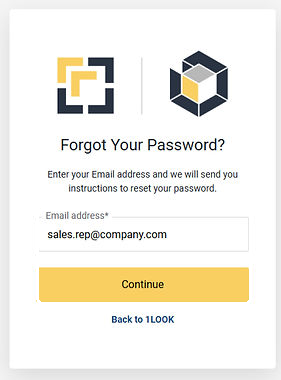
Image description: The password-recovery page asks for the email address linked to the 1LOOK account.
Step 3: Follow the password-reset instructions in your email. Create the new password according to the requirements shown in the email.
👉 Check your junk or spam folder if the reset email does not appear in your inbox.