![Icon for Courses-1.png]](https://help.oneclickcontractor.com/hs-fs/hubfs/Icon%20for%20Courses-1.png?height=40&name=Icon%20for%20Courses-1.png)
After a Price List has been updated, it must be properly renamed and activated to ensure estimates use the correct pricing version. This article outlines how to rename a Price List, activate it, and apply best practices for version control.
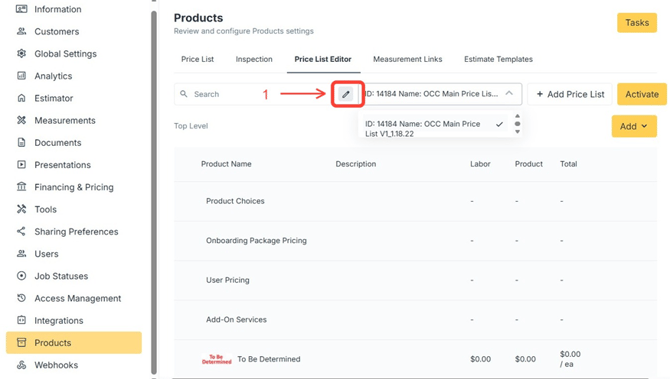
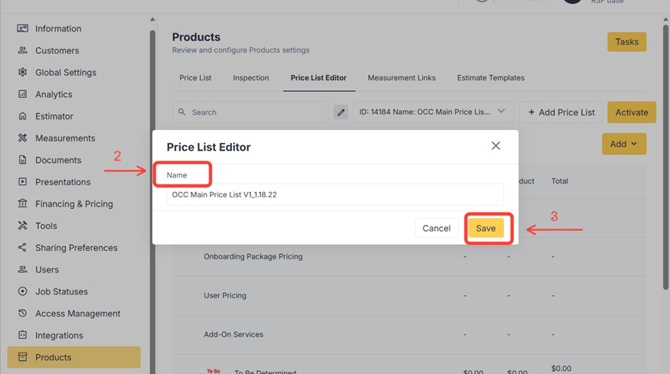
Step 1: Select and rename a Price List
- Click the pen icon
- Enter a new name in the pop-up window
- Save changes
Step 2: Activate the Updated Price List
Once uploaded:
- Review the Price List carefully
- Activate it when ready for use
- Confirm estimates are using the intended version
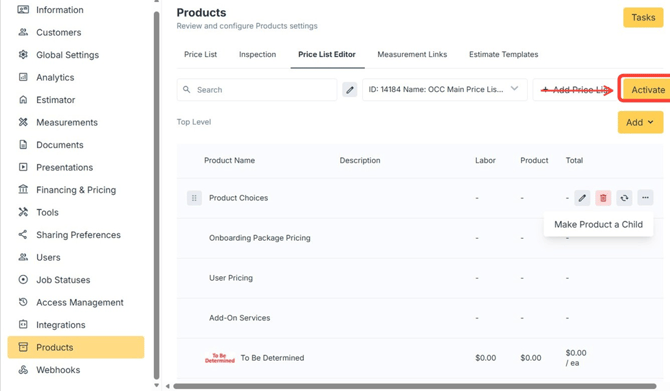
Note: Inactive Price Lists remain available for reference but are not used for new estimates.