![Icon for Courses-1.png]](https://help.oneclickcontractor.com/hs-fs/hubfs/Icon%20for%20Courses-1.png?height=40&name=Icon%20for%20Courses-1.png)
Where is it?
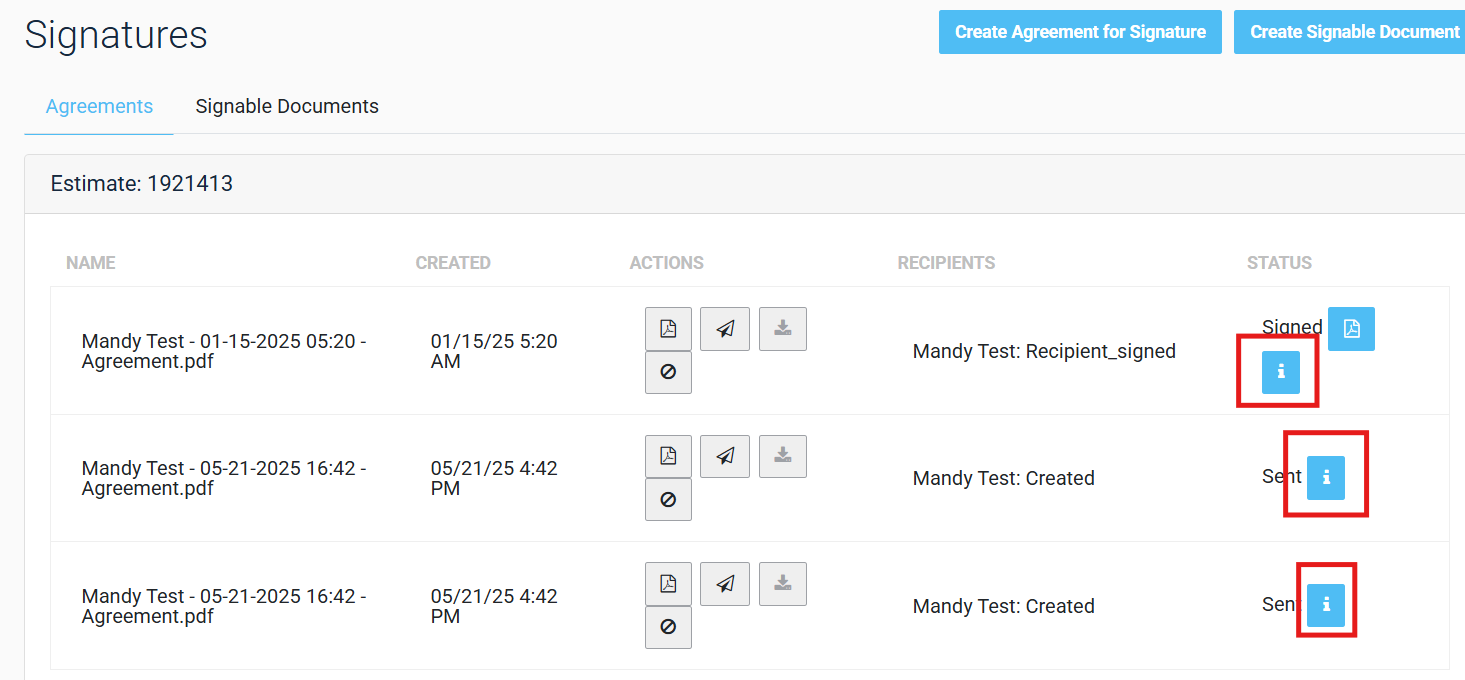
The Signing History Reports can be found on the signature page in OCC, next to the main record for a signed or signable document:
How does it work?
Clicking the icon will open a modal offering Standard and Detailed reports, with a high-level description of both. 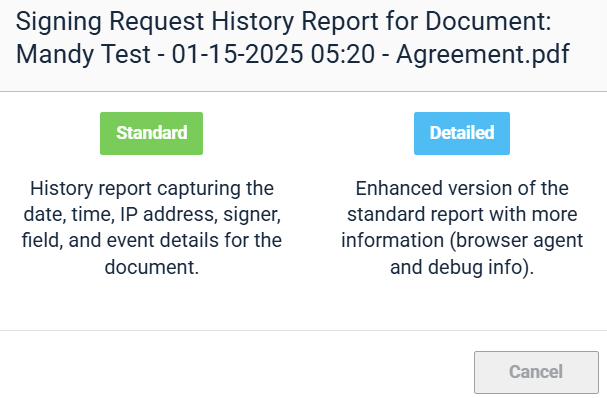
Standard Report
The Standard report has four sections. The first three are Report Criteria (details on that specific report, ie. Date/time report was run), Document Summary (what kind of document, when was it fully executed (“Completed”)) and Parties (the participating signatories).
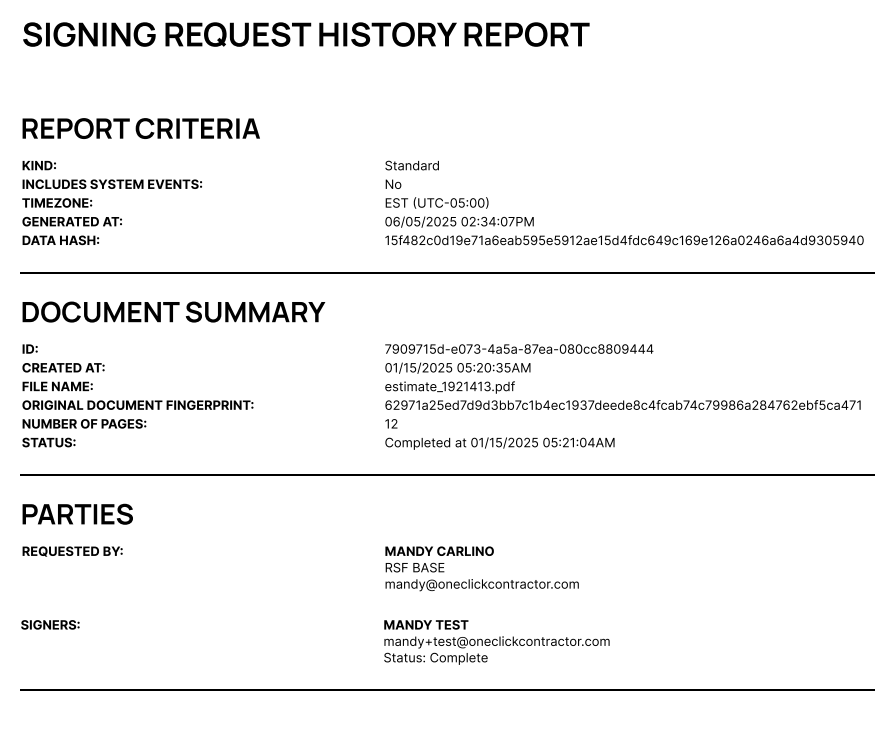
The last section on the Standard Report is the actual events for that document. This includes timestamps and IP addresses for events like status changes and actual signatures.

Detailed Report
The Detailed Signing History Report is identical to the Standard, except the audit log events section includes more information regarding devices and debugging information.
