![Icon for Courses-1.png]](https://help.oneclickcontractor.com/hs-fs/hubfs/Icon%20for%20Courses-1.png?width=36&height=36&name=Icon%20for%20Courses-1.png)
Step 1: Open Manage Templates
On an open estimate, click the arrow next to Add Template, then choose Manage Templates.
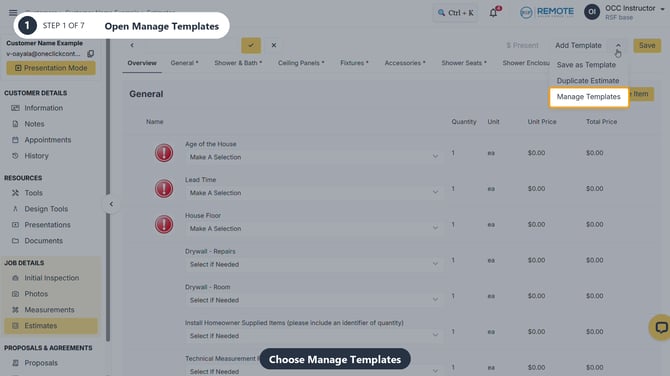
Image description: The Add Template menu with Manage Templates highlighted.
Step 2: Create and name a folder
Click Create a New Folder and enter a descriptive name, such as Bathroom Demo.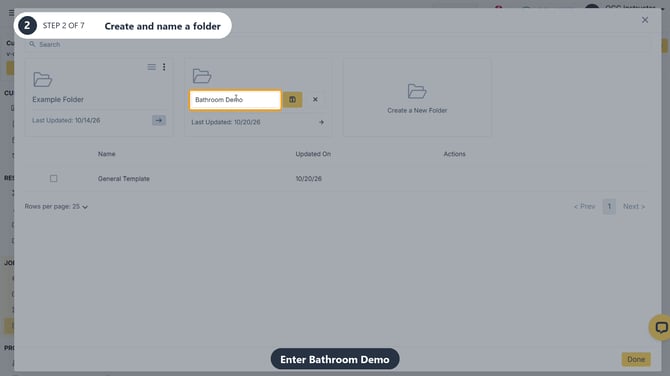
Image description: Bathroom Demo entered in the new folder name field.
Step 3: Save the folder name
Click the check mark beside the name. The saved folder then appears in Manage Templates.
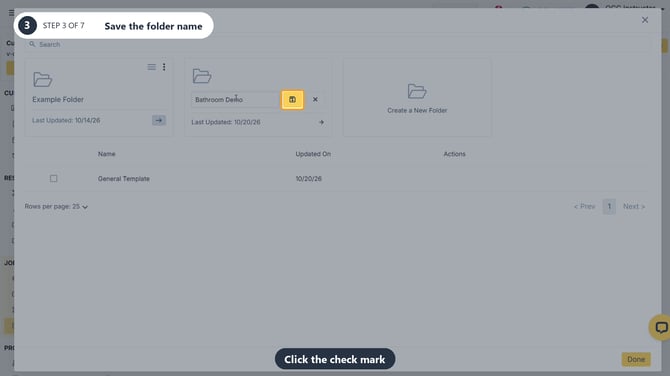
Image description: The check mark that saves the new folder name.
Step 4: View folder actions
Open the three-dot menu on a folder to see Edit and Delete. Leave both untouched if you only want to inspect the options.
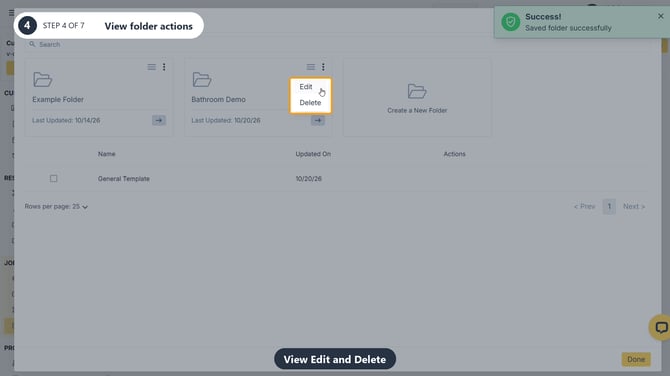
Image description: The folder menu showing Edit and Delete for Bathroom Demo.
Step 5: View template actions
Hover over a template row to reveal the pencil for renaming, the arrow for applying, and the trash icon for deleting.
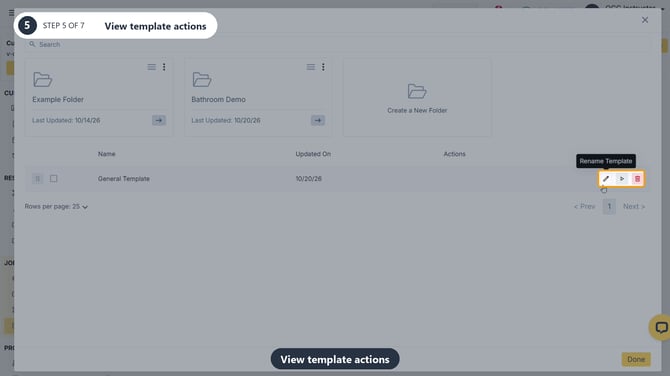
Image description: The rename, apply, and delete icons on the General Template row.
Step 6: Review the delete warning
Click the trash icon to open Delete Estimate Template. Read the warning before deciding: deletion cannot be undone.
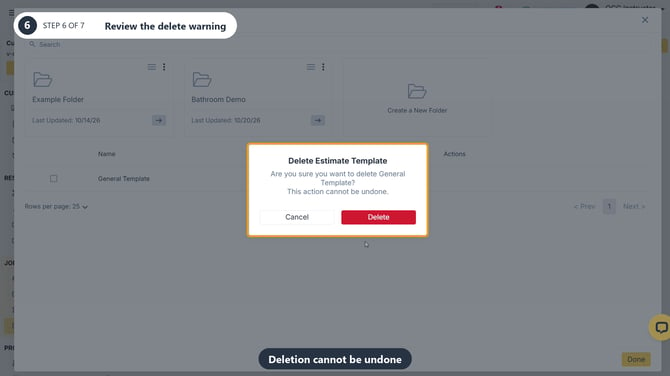
Image description: The Delete Estimate Template dialog, including Cancel and Delete.
Step 7: Cancel to keep the template
Click Cancel if you want to keep it. General Template remains in the list.
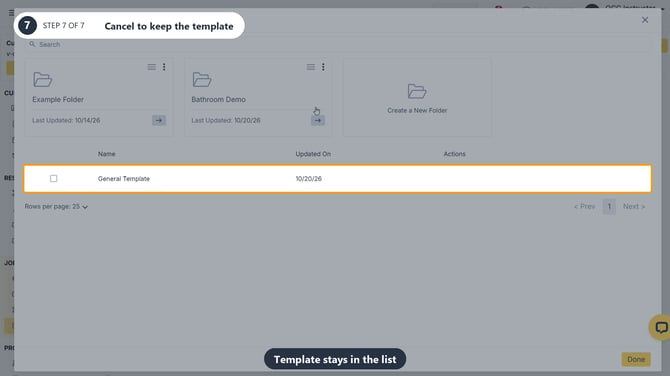
Image description: General Template still appears after the deletion is canceled.
Remember
What you see can differ depending on your organization's settings and your permission level. Tab names, headers and available options are configurable. If you can't see or do something described here, ask your manager first. They can contact support.
Also read
-
How to create and save an estimate template
-
How do I edit an existing template?
-
How do I use or combine templates on a new estimate?
💡Pro tips
-
Any template you create or delete will affect the entire organization.
-
Folders keep templates organized, for example one for bathrooms, one for doors and one for roofing.