![Icon for Courses-1.png]](https://help.oneclickcontractor.com/hs-fs/hubfs/Icon%20for%20Courses-1.png?height=40&name=Icon%20for%20Courses-1.png)
Article Introduction
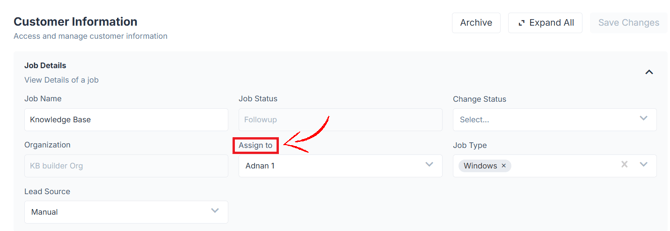
The Assigned To field determines which user is responsible for a job in One Click Contractor.
What “Assigned To” Means
The Assigned To field identifies the user responsible for the job.
Where You See “Assigned To”
The assigned user appears in the:
- Estimator → Information Tab
How Assignment Is Set
A job can be assigned in different ways:
- Automatically to the user who creates the job
- Manually within OCC
- Through integrations (direct or via webhooks)
Reassigning a Job
-
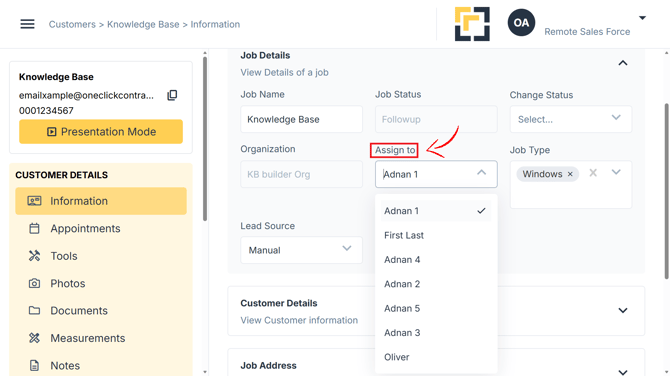
Jobs can be reassigned to a different user.
-
The estimator provides a list of available users that can handle the job.
-
The users shown in this list may depend on system configuration.
Important Notes
- Reassigning a job does not remove its estimates, documents, inspections, or photos.
- For CRM-connected jobs, always update the assigned person in the CRM first. If the CRM is not updated first, the job may revert to the original assigned person.