![Icon for Courses-1.png]](https://help.oneclickcontractor.com/hs-fs/hubfs/Icon%20for%20Courses-1.png?height=40&name=Icon%20for%20Courses-1.png)
Article Introduction
Presentations are configured from the organization’s Presentations section by uploading supported files or linking to presentation content hosted elsewhere.
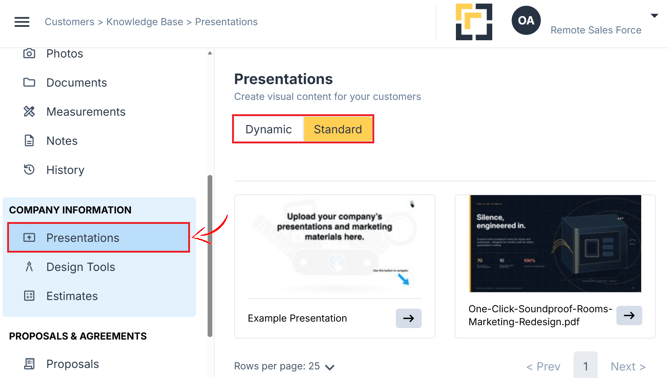
Once configured, presentations can include uploaded slides, linked content, and inspection items. They are then available from the Presentations tab within a job.
Presentations can be adjusted from the Presentations tab and used as either Standard or Dynamic. A Standard Presentation keeps the assets in their original uploaded order, while a Dynamic Presentation allows the assets to be reordered for a specific customer and can include inspection items.
Supported Presentation Formats
One Click Contractor supports several presentation formats.
-
PDF Presentations
When a PDF is uploaded, each page of the file is created as an individual presentation slide.
The first page of the PDF is used to create the presentation’s cover image.
-
HTML Presentations
One Click Contractor supports web-based presentations created using the Reveal.js format, including supported presentations exported from Slides.com or Reveal.js.
When the file is uploaded, the individual slides are processed and a presentation cover image is created automatically.
-
Linked Presentations
A Linked Presentation connects to presentation content hosted on a supported third-party website or service.
Depending on its configuration, linked content can open:
- Within One Click Contractor
- In a new browser tab
Linked presentations can also connect directly to supported Ingage presentations.
What to Expect
Once a presentation has been configured, it appears in the Presentations tab within a job.