![Icon for Courses-1.png]](https://help.oneclickcontractor.com/hs-fs/hubfs/Icon%20for%20Courses-1.png?height=40&name=Icon%20for%20Courses-1.png)
Article Introduction
The HOVER integration allows you to connect your HOVER account with One Click Contractor and bring property information directly into your One Click Contractor jobs.
Before You Begin
-
You must be an admin for your One Click Contractor organization to set up the HOVER integration.
-
You will also need access to the HOVER account you want to connect.
Connect HOVER to One Click Contractor
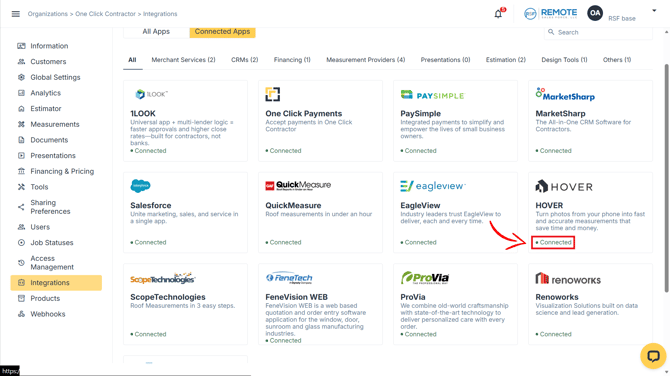
Step 1: Locate the Integrations tab in the Administration Dashboard; then select HOVER.
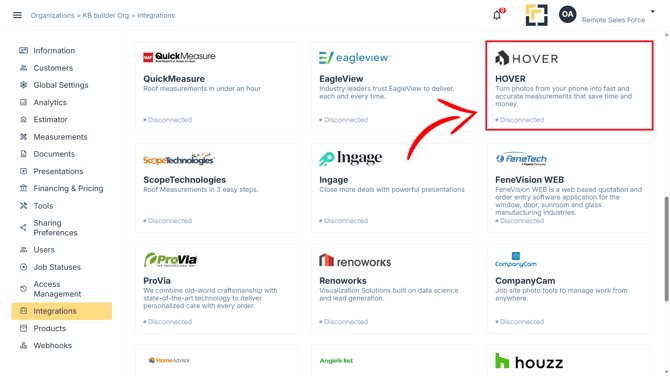
Authorize HOVER
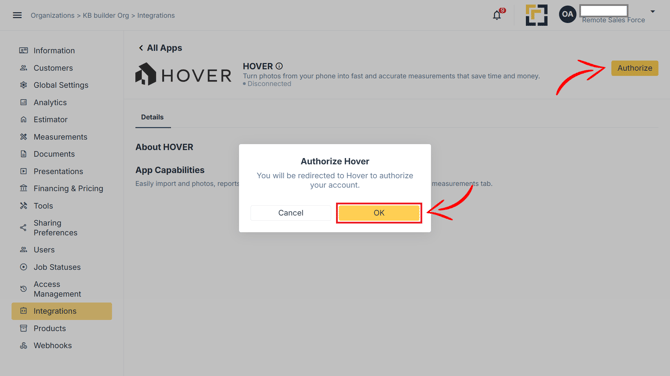
Step 2: Log in to HOVER and Authorize One Click Contractor
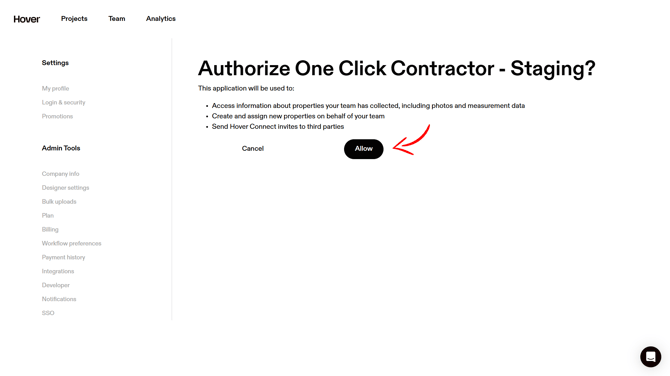
Step 3: Review that the integration has been connected properly.
Your HOVER Account will show One Click Contractor Connected
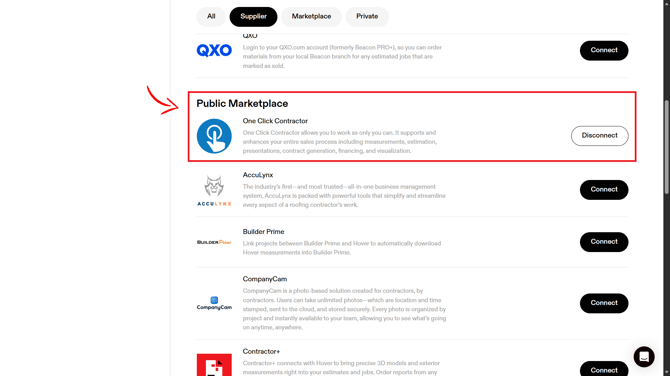
Your One Click Contractor will now Show HOVER as "Connected".
Match Your HOVER and One Click Contractor Users
After authorizing the integration, you will need to match your HOVER users with their corresponding One Click Contractor users.
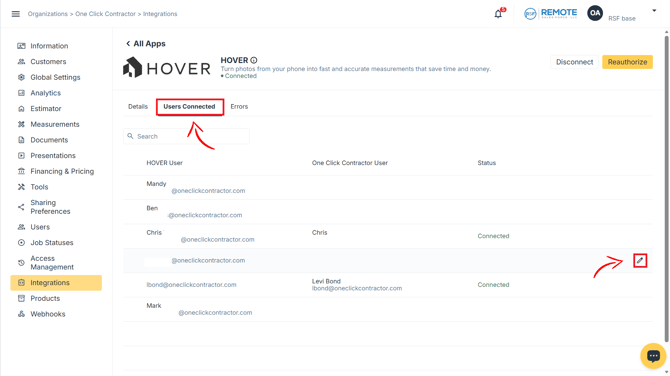
Step 1: Locate the HOVER User you want to connect;
Click the pen to edit the user.
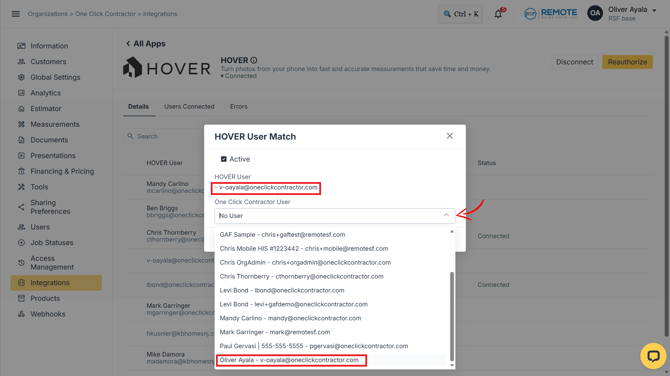
Step 2: Select the Matching One Click Contractor User
Step 3: Save the User Mapping
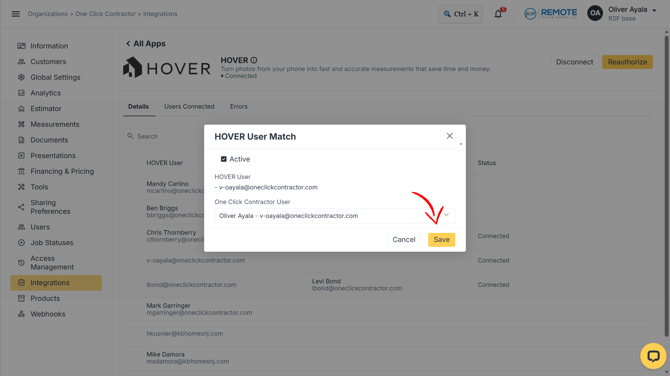
Step 4: Once you have selected the correct user, click Save.
Repeat as Needed
Repeat these steps for any additional HOVER users who need to be connected to One Click Contractor users.
Important: Authorizing the HOVER integration and matching users are separate parts of the setup. Make sure each applicable HOVER user is matched with the correct One Click Contractor user.
Import HOVER Property Information into One Click Contractor
Once HOVER is connected and your users are matched, you can import HOVER property information into One Click Contractor.
The following information can be transferred:
- Property photos
- Measurement data
- Measurement PDF
- Measurement XLSX file
- HOVER 3D model
HOVER property information can be imported through the Measurements area of One Click Contractor.
Interactive Walkthrough
For a visual step-by-step walkthrough of the import process, use the HOVER interactive guide: