![Icon for Courses-1.png]](https://help.oneclickcontractor.com/hs-fs/hubfs/Icon%20for%20Courses-1.png?height=40&name=Icon%20for%20Courses-1.png)
Article Introduction
The Tools tab provides a customizable space for resources your team uses during the sales process.
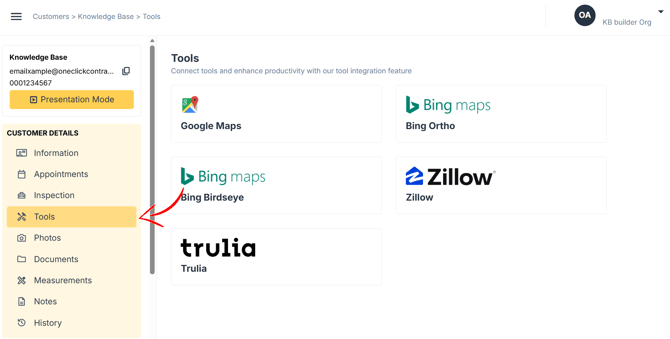
Your organization can connect external websites, third-party services, company pages, and other useful links. Each connected resource appears as a card that users can select directly from the Estimator.
What You Can Access
The resources available in the Tools tab are selected by your organization.
These may include:
- Property research websites
- Mapping services
- Measurement or design-ordering tools
- Industry resources
- Custom links that support your organization’s workflow
Because the tab is customizable, the tools available can differ between organizations.
Opening a Connected Tool
Each connected resource appears as an individual card in the Tools tab.
Select the card for the resource you want to use. The connected website or service will open so you can continue working with that tool.
How It Looks in the Estimator