![Icon for Courses-1.png]](https://help.oneclickcontractor.com/hs-fs/hubfs/Icon%20for%20Courses-1.png?height=40&name=Icon%20for%20Courses-1.png)
Article Introduction
From the Signatures tab, locate the applicable agreement and select View Signing History.
OCC provides two report options: Standard and Detailed. Selecting either option downloads the report to your device as a PDF.
Standard Report
The Standard PDF includes:
- Report criteria
- Document summary
- Parties associated with the signing request
- Dates and times
- IP addresses
- Signers
- Fields
- Recorded audit events
Detailed Report
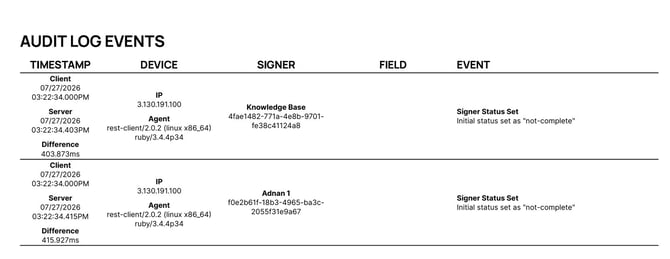
The Detailed PDF includes the signing information from the standard report, along with additional technical details such as:
- Device or browser agent information
- Client and server timestamps
- Time differences
- Debug information
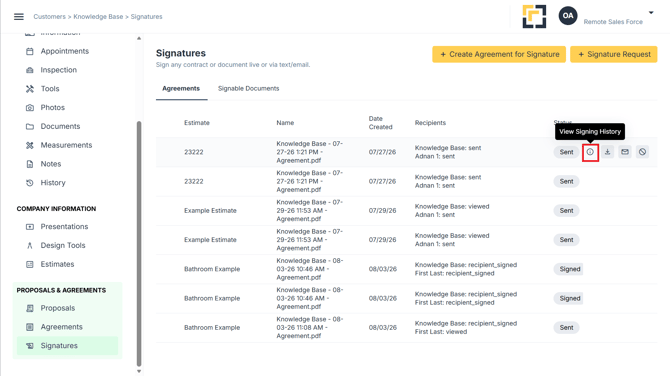
You will download a PDF.
Important Notes
- Both report types download as PDF files.
- Use Standard for the primary signing history.
- Use Detailed when additional technical information is needed.