![Icon for Courses-1.png]](https://help.oneclickcontractor.com/hs-fs/hubfs/Icon%20for%20Courses-1.png?height=40&name=Icon%20for%20Courses-1.png)
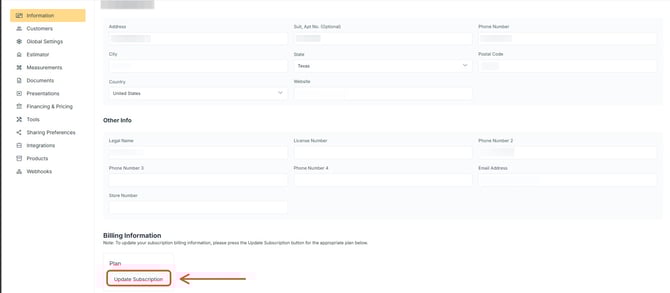
Invoices can be accessed from Information in the Administration Panel, under Billing Information.
Step 1: Open Billing Information
-
Click Update Billing Information.
Step 2: View ing Billing History
-
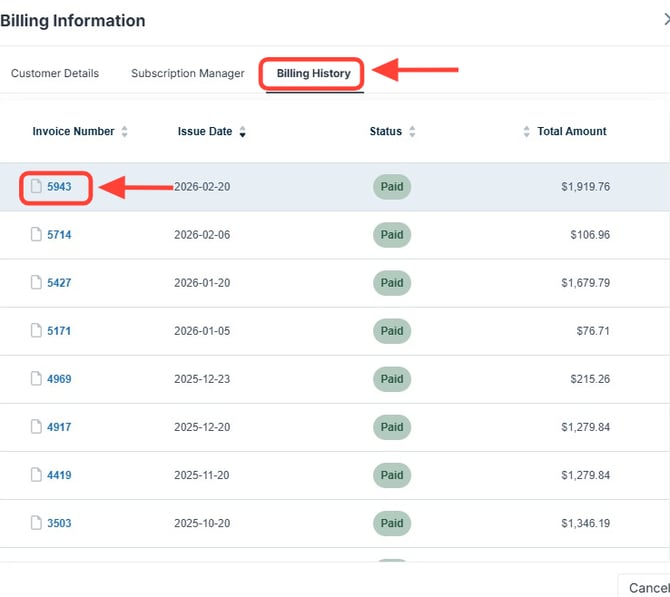
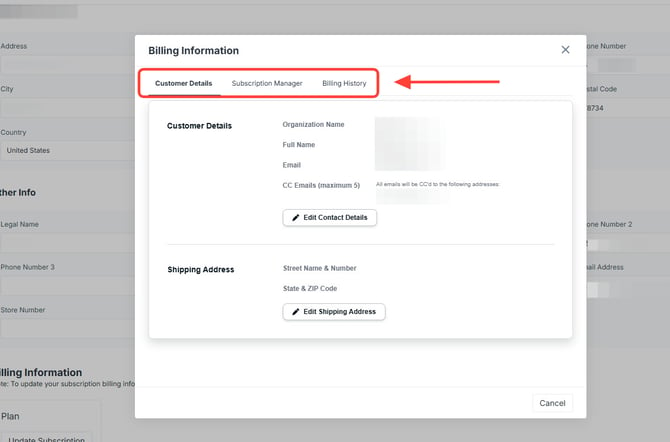
Click the Billing History tab.
You will see:
-
Invoice Number
-
Issue Date
-
Status
-
Total Amount
To download an invoice:
-
Click on the Invoice Number.
-
On the next screen, select the option to Print Invoice or Download as PDF.