![Icon for Courses-1.png]](https://help.oneclickcontractor.com/hs-fs/hubfs/Icon%20for%20Courses-1.png?width=36&height=36&name=Icon%20for%20Courses-1.png)
When sending a document for signature in the Estimator, you may encounter an error stating that the document does not contain any fields. This typically means the document does not have any signature or input fields configured.
What You’re Seeing
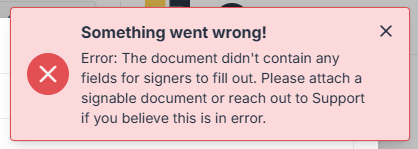
You may see the following error:
Error while creating signable document: The document didn't contain any fields for signers to fill out.
Common Causes
-
The document was uploaded without signature fields
-
The document was not coded using Scribble
-
An older version of the document is being used
-
The wrong document was selected in the Estimator
When to Contact Support
Contact your administrator if:
-
The document previously worked but no longer does
-
You are unsure if the correct document is being used
-
The document appears to have fields but still triggers the error
- Your document needs signature coding by One Click Contractor